


CLOUDM BLOG
How to secure employee offboarding in 5 steps with CloudM
Offboarding shouldn’t be a risk. Learn how to secure employee offboarding in five simple steps using CloudM Automate.
 1 min
1 min 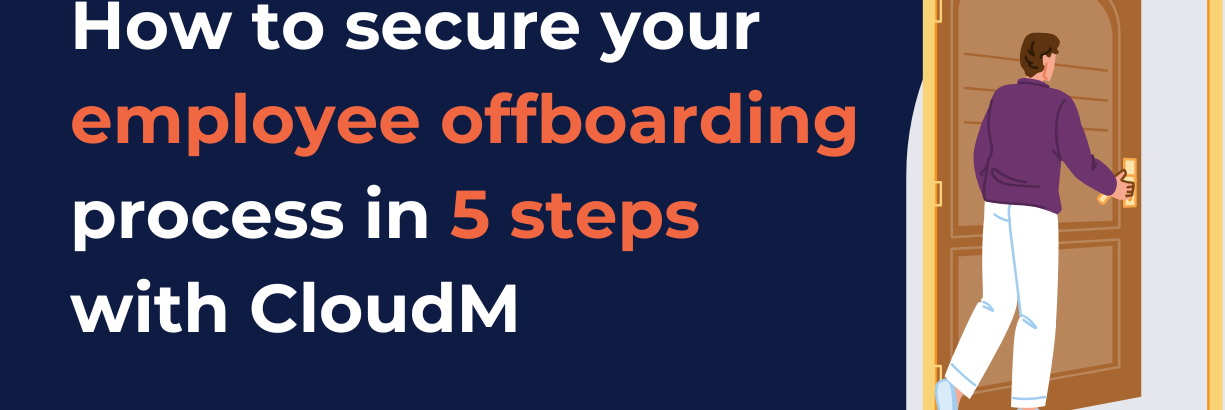
Employee offboarding is an important yet often overlooked stage in the employee lifecycle. Without a secure offboarding process, delays in access removal or poor data handling can allow former employees to retain access to sensitive systems, creating security, compliance, and data-loss risks.
Manual offboarding relies on employee offboarding checklists and people remembering to follow through, which can lead to missed steps, mistakes, or delays. A forgotten account, an untransferred Drive folder, or an unused license left active can lead to security risks, compliance issues, and unnecessary costs.
Automation changes that. By standardizing offboarding workflows, organizations can ensure every user is offboarded the same way, every time; quickly, securely, and without manual intervention.
This is where CloudM Automate comes in. It automates user lifecycle management in Google Workspace, helping organizations offboard employees securely with consistent workflows that remove access, protect data, and ensure nothing is missed.
What is CloudM Automate?
CloudM Automate is an automation platform that simplifies and secures the onboarding and offboarding process within Google Workspace for organizations. Instead of relying on manual checklists, CloudM Automate enables IT teams to build structured workflows that automatically handle every stage of the employee lifecycle, from user access and data to licensing.
By automating routine onboarding and offboarding tasks, CloudM Automate reduces the risk of human error while saving time and operational costs. Repetitive actions such as provisioning accounts, revoking access, transferring data, and reclaiming licenses are executed automatically, ensuring no steps are missed and security policies are applied every time.
CloudM Automate uses dynamic user groups and customizable workflows to tailor offboarding based on the organization, roles, departments, or employment status. In this guide, we’ll explain how it supports each of the five steps used to secure offboarding processes.
5 steps to secure offboarding processes with CloudM
With CloudM Automate, you can set up organization-specific triggers to build a secure, automated offboarding process that fits your business. Follow these steps to standardize offboarding, reduce risk, and ensure access and data are handled securely every time.
1. Define standard offboarding workflow triggers
Secure offboarding starts with knowing exactly when the process should begin. The first step is to define clear, standardized triggers that automatically initiate offboarding as soon as an employee leaves the organization. Common triggers include changes in user status, account updates in Google Workspace, or termination events recorded in an HR system.
Consistent triggers are essential for both security and compliance. Automated triggers ensure that access removal and data handling begin immediately, reducing the risk of former employees retaining access to sensitive systems or information.
2. Revoke access and secure credentials
Once offboarding is triggered, the priority is to remove access as quickly as possible. Delays in access revocation can leave systems exposed, increasing the risk of unauthorized access to company data. Automating this step ensures security actions happen immediately, without relying on manual follow-up.
With CloudM Automate, user access to Google Workspace apps and connected systems is automatically revoked as part of the offboarding workflow. Passwords are removed, two-step verification and recovery options are disabled, and OAuth tokens and delegated access are revoked to close off any remaining entry points.
3. Protect and transfer important data
Secure offboarding processes also require careful handling of employee-owned data. Emails, calendar events, Drive files, and shared drive content often contain important information that teams still need after an employee leaves.
CloudM Automate enables workflows that automatically transfer ownership of emails, files, and shared drives to designated users, ensuring continuity and minimizing disruption. Where required, content can also be archived or migrated to meet legal, regulatory, or internal business requirements.
4. Reclaim licenses and reduce costs
Employee offboarding is also a key opportunity to control software spend. When licenses aren’t removed promptly, organizations continue paying for unused accounts, resulting in license or SaaS sprawl.
CloudM Automate automatically unassigns or reallocates licenses as part of the offboarding workflow, ensuring they’re returned to the available pool as soon as an employee exits. This eliminates the need for manual tracking and prevents licenses from being paid for and not used.
5. Monitor the status of your workflows
Secure offboarding doesn’t end once workflows are set up. Tracking offboarding activity helps make sure everything is working as it should and is key to getting the most value from automation.
In addition to automating and securing offboarding processes, CloudM provides a centralized dashboard where IT teams can see offboarding activity in real time. Teams can easily track what’s been completed, spot issues quickly, and export reports to support audits and compliance requirements.
Over time, these improvements don’t just strengthen security; they also deliver measurable time and cost savings, as seen in real-world customer results.
The business impact of automating offboarding
When a major British retail group started using CloudM Automate to secure their offboarding processes, the results spoke for themselves. Over five years, automated offboarding workflows saved an estimated 218 working days of IT time, roughly 44 days per year that would otherwise have been spent on repetitive manual tasks.
Beyond time savings, the retailer saw enhanced data security and consistency. License costs were also drastically reduced, freeing up budget and preventing waste.
Read the full case study on efficient and secure offboarding processes here.
Automate and secure offboarding processes with CloudM
By automating offboarding with CloudM Automate, organizations can finally get rid of manual employee offboarding checklists. Automation automatically ensures access is removed on time, data is handled securely, and licenses are reclaimed without effort. By following this five-step approach, organizations can build secure offboarding processes that are cost-effective and easy to manage, giving IT teams confidence that nothing is missed when an employee leaves. Book a call today to learn more!
Ready to improve your offboarding process?
Latest resources
Introducing CloudM Continuity: Always-On Business Continuity for Microsoft 365
March 3, 2026
Find out more
Cloud migration: Preventing the most common data migration problems
February 26, 2026
Find out more
Google Drive Permission Changes: What CloudM Migrate Customers Need to Know
February 18, 2026
Find out more-
Introducing CloudM Continuity: Always-On Business Continuity for Microsoft 365
March 3, 2026
-
Cloud migration: Preventing the most common data migration problems
February 26, 2026
-
Google Drive Permission Changes: What CloudM Migrate Customers Need to Know
February 18, 2026