
WHY ARCHIVE MATTERS

Archive leaver data and reduce licence costs
Keep former employees’ email, Drive files and Chat data searchable and recoverable, while removing inactive Google Workspace licences.
Unused license costs
Keeping inactive users licensed just to retain their data can create unnecessary recurring costs.
Retention requirements
Former employee data may still need to be retained, searched or restored for legal, compliance or operational reasons.
Manual data management
Without a repeatable process, IT teams spend time exporting, moving and managing leaver data by hand.
ARCHIVE + WORKFLOWS
Retain leaver data and remove licences in one controlled workflow
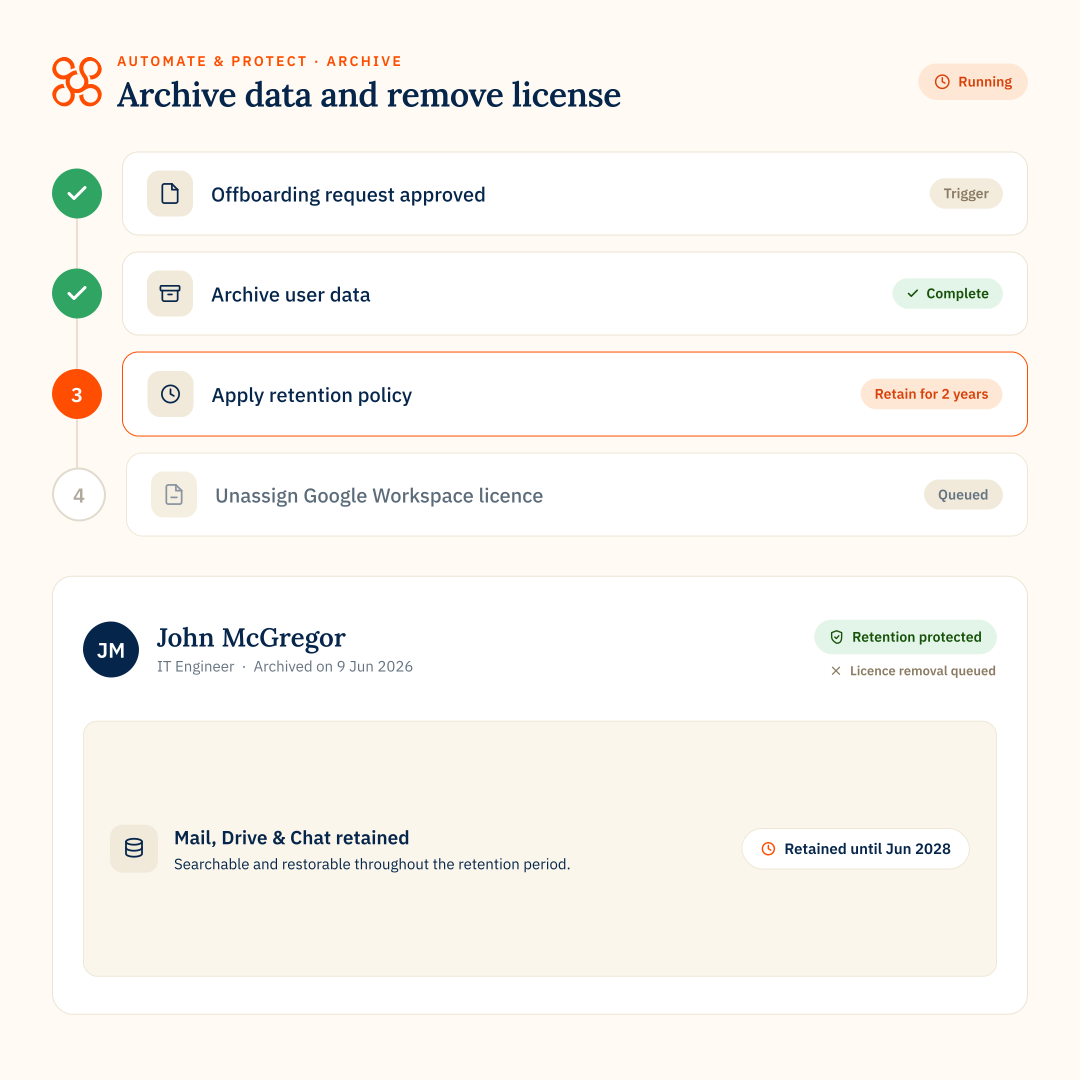
Make archiving, retention and licence removal part of the same repeatable offboarding workflow, so data stays protected while inactive licences are removed at the right time.
- Archive email, Drive files and Chat data
- Apply the required retention period
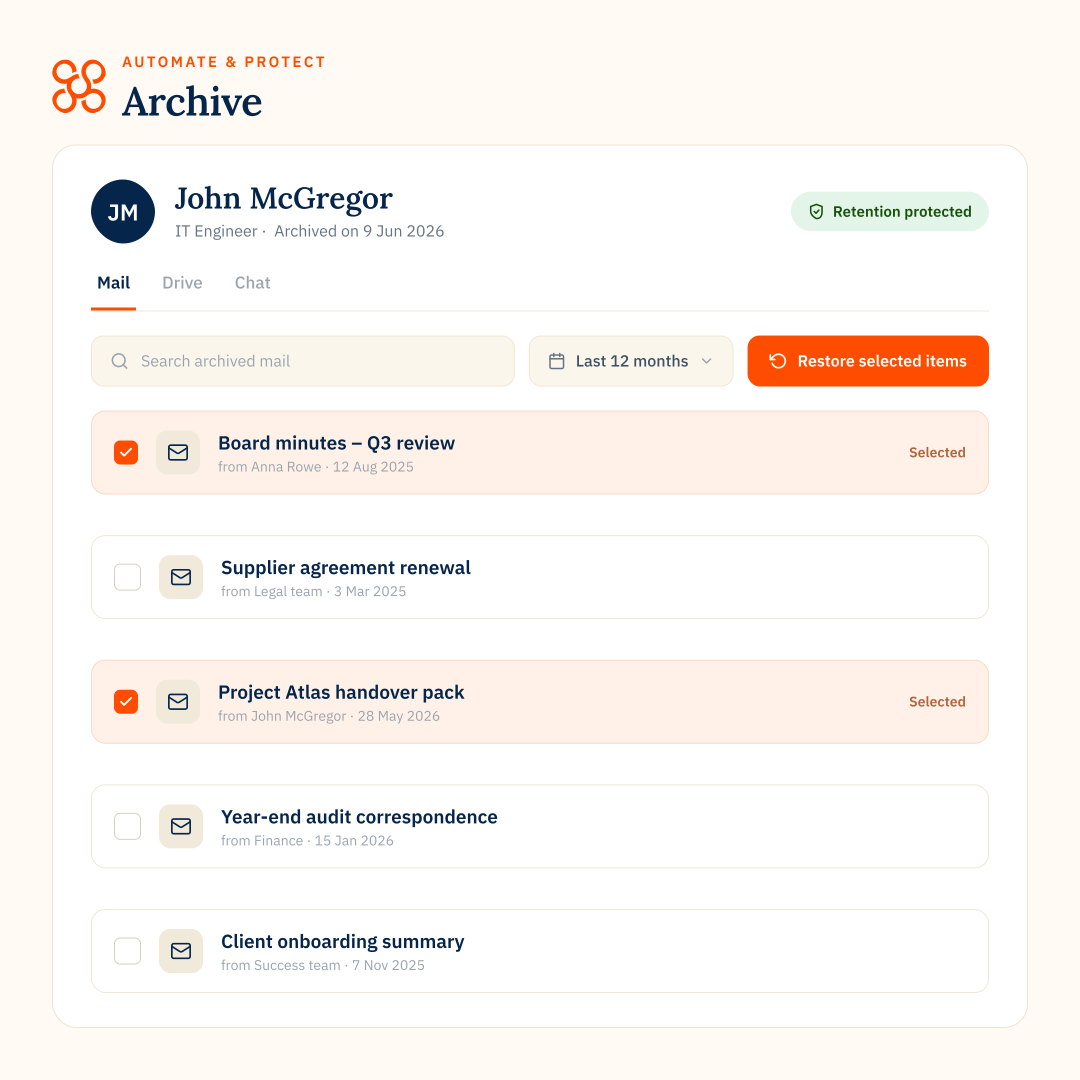
- Search and restore archived records
- Remove inactive licences without losing access to records
ARCHIVE RESTORE
Restore the archived data legal teams need
Archive does more than retain leaver data. It makes archived Google Workspace data easy to search, retrieve and restore when legal, compliance, HR or IT teams need evidence, records or historical data.
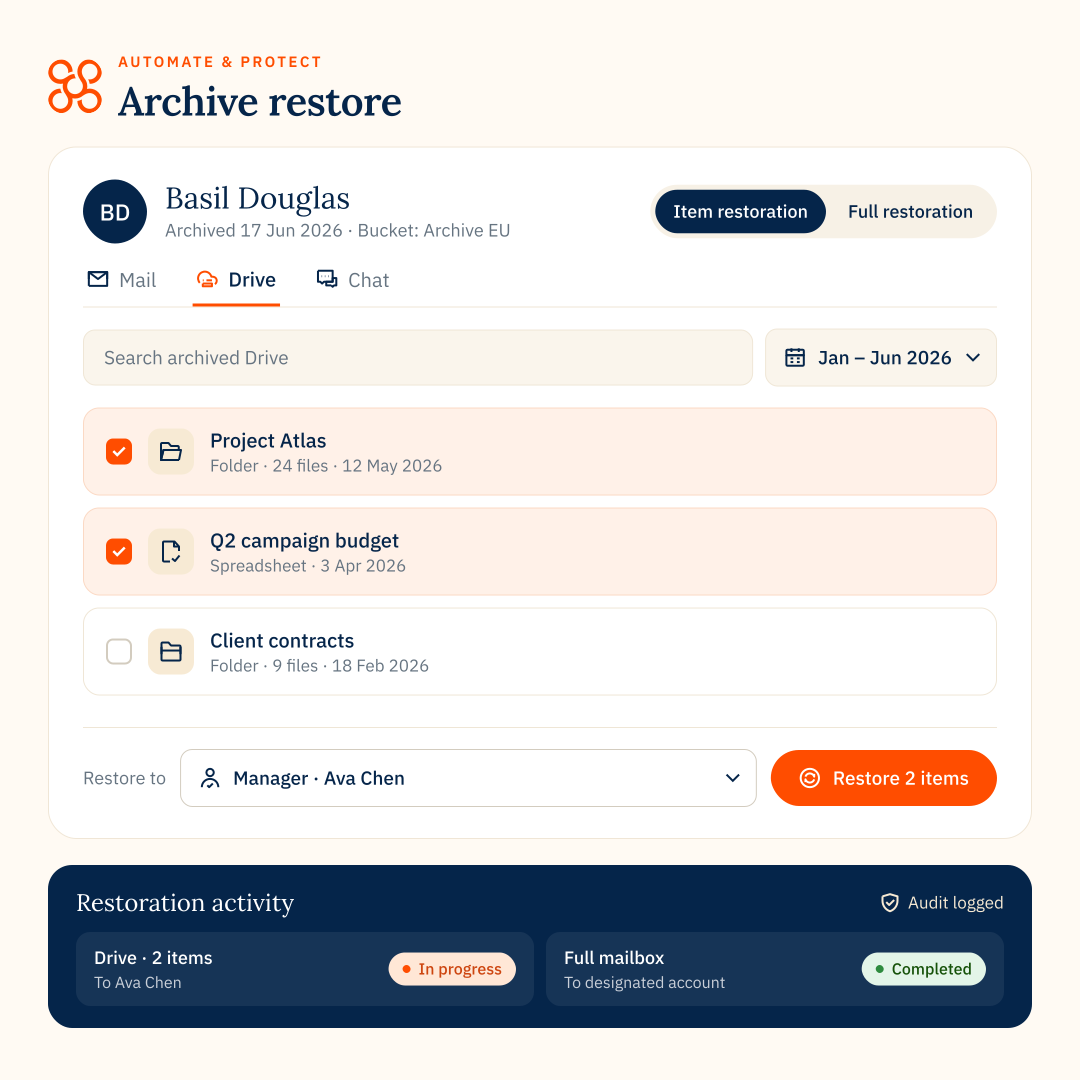
Search archived Mail, Drive and Chat data, retrieve individual items for targeted requests, or recover larger datasets to an active Google Workspace account.
- Granular item restoration: Search archived emails, files or chats and restore only the items you need.
- Full restoration: Restore all archived data, or restore data within a selected date range in bulk.
- Flexible recovery: Restore data to an active Google Workspace account, with recovery options tailored to the data type.
calculate savings
Estimate how much you could save archiving
Drag to match your team’s size
Estimated annual savings
$6,000
vs. Google Archived User licenses
how it works
Archive, retain, reclaim, restore
Archive leaver data
Capture former employee Mail, Drive and Chat data before removing the active license.
Apply retention rules
Set policies for how long archived data is kept and when it should be deleted.
Reclaim licenses
Remove or reassign Google Workspace licenses once data is archived.
Restore when needed
Access or restore archived data for legal, compliance or business needs.
“The greatest tool has been the Archive functionality that we have integrated into our offboarding automation.”

COMPLIANCE-ready reCORDS
Keep archive activity visible and auditable

Audit logs

Exportable reports

Certified provider

Connect archive to automated offboarding
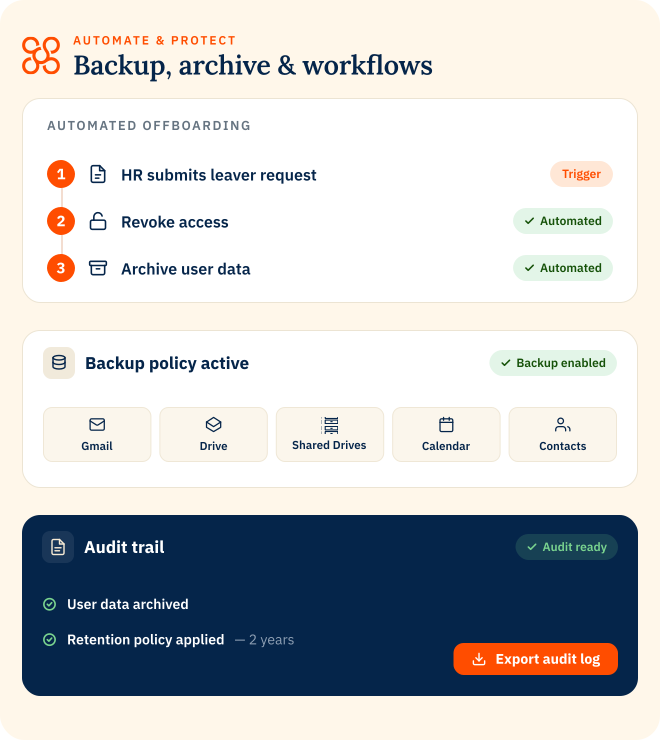
Archive works alongside Automate & Protect, so archiving can become part of a repeatable offboarding process instead of a manual task.
Explore Automate & Protect
Retain
records for less
Back up
data
Automate
leaver offboarding
ARCHIVE
FAQs
How is Archive different from Backup?
Backup keeps active Google Workspace data recoverable after deletion, loss or unwanted changes. Archive retains selected user data for longer-term access, search, compliance and license reclamation.
Do I need a Google Workspace license for archived users?
No. Archive is designed to help teams retain leaver data while reclaiming unnecessary Google Workspace licenses. Archive leaver data before renewal to avoid paying for licenses you no longer need.
What data can Archive retain?
Archive can retain Google Workspace data such as Gmail and Drive data, depending on your configuration and archive policies.
Can archived data be restored?
Yes. Archived data can be searched, accessed and restored when it is needed for legal, compliance or operational reasons.
Where is archived data stored?
Archived data can be stored in your organization’s Google Cloud or AWS environment, giving you more control over where retained data lives.
How does Archive connect to Automate & Protect?
Archive is part of Automate & Protect. It works alongside backup and workflows, so teams can retain records, reclaim licenses, automate offboarding and support compliance from one platform.