



CLOUDM BLOG
Your data, safe and sound: How CloudM Backup helps you sleep at night
Find out about the must-have safety features that protect your data when you aren’t looking.
 1 min
1 min 
Data breaches are rising, costing businesses an average of $4.88M per incident. With a growing cybersecurity skills gap, IT teams are turning to automated solutions like CloudM Backup to stay ahead of threats.
A smarter way to safeguard your user data
One way to keep your data safe is by ensuring that you have a rigorous yet flexible backup process in place. Frequent backups enable you to restore lost or corrupt data and ensure that your teams can continue working.
This is where CloudM Backup comes in. CloudM Backup ensures your business recovers quickly from data loss, minimizing downtime and disruption. Here are some of the key features that keep your emails, drive items and calendar data safe.
Quickly identify and remove gaps in your data protection setup
CloudM Backup’s modern, insightful dashboard gives you full visibility of the state of your backups and associated policies. See at a glance which users aren’t protected and swiftly amend your backup policies to ensure all vital business data is secured.
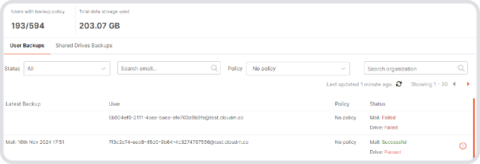
Image: Access the dashboard to identify which users are not covered by an existing backup policy.
Use notifications to stay up to date
Set up email notifications for any element of your backup process and get updates delivered straight into your inbox. This is particularly useful in situations where manual intervention may be needed, such as if a backup fails multiple times.
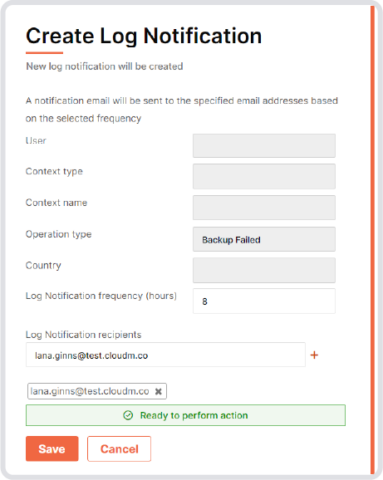
Image: Set up granular notifications so you know when your processes aren’t running smoothly.
Beyond backups: Advanced security features you can rely on
Backup has a host of further security features that may be less obvious but no less important than dashboards and notifications. These include:
Recover deleted emails
Restore lost messages from previous backups, ensuring vital conversations do not get lost.
Avoid vendor lock-in
Stay in control of your data by storing backups in your AWS or GCP environment.
Customize backup frequency (coming soon)
Automatically adjust backup schedules based on team or location-specific policies.
Getting started is quick and easy
CloudM Backup simplifies data protection with powerful yet user-friendly features. From hero features such as its modern dashboard which delivers key insights at a glance and customizable notifications delivered straight to your inbox, to powerful background functionality, you can rely on CloudM Backup to keep your vital business data safe. It doesn’t take long to get started, either: You can set up reliable yet flexible backup policies in as little as 5 steps. Book a demo now to find out more.
Book a call with our Backup specialists today
Latest resources
Business continuity: The Recurring Revenue Opportunity Inside Every Microsoft 365 Account
March 18, 2026
Find out more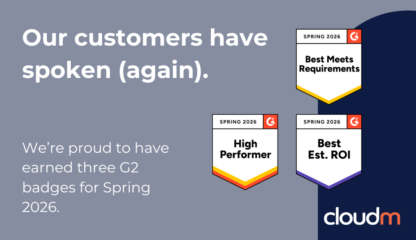
We’re Thrilled to Earn 3 G2 Badges for Spring 2026
March 18, 2026
Find out more
Is your Google Workspace HIPAA/NIS2 compliant?
March 16, 2026
Find out more-
Business continuity: The Recurring Revenue Opportunity Inside Every Microsoft 365 Account
March 18, 2026
-
-