Skip to main content.
GOOGLE WORKSPACE OFFBOARDING

Automate Google Workspace offboarding, from access to data handover

Replace manual leaver checklists with automated workflows that secure accounts, preserve data, transfer ownership and reclaim licenses in the right order.

Build repeatable offboarding processes from 30+ pre-built actions covering access, devices, Gmail, Drive, Shared Drives, calendars, groups, data retention and more.

complete offboarding

Automate more than account suspension

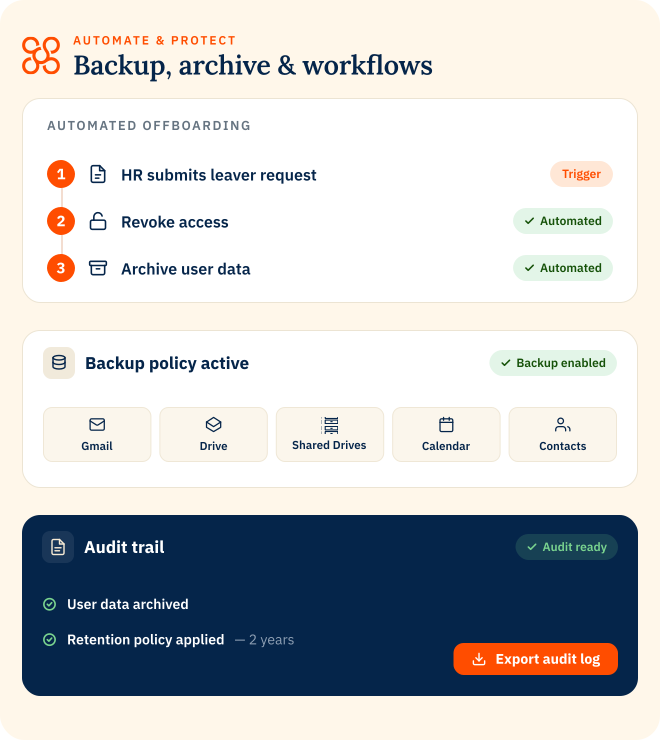
Google Workspace offboarding means dealing properly with the data a user leaves behind. Automate & Protect brings data handling, access and ownership handover into one controlled workflow, so nothing important is left behind when someone leaves.
pre-built actions

Build offboarding workflows for different teams and roles

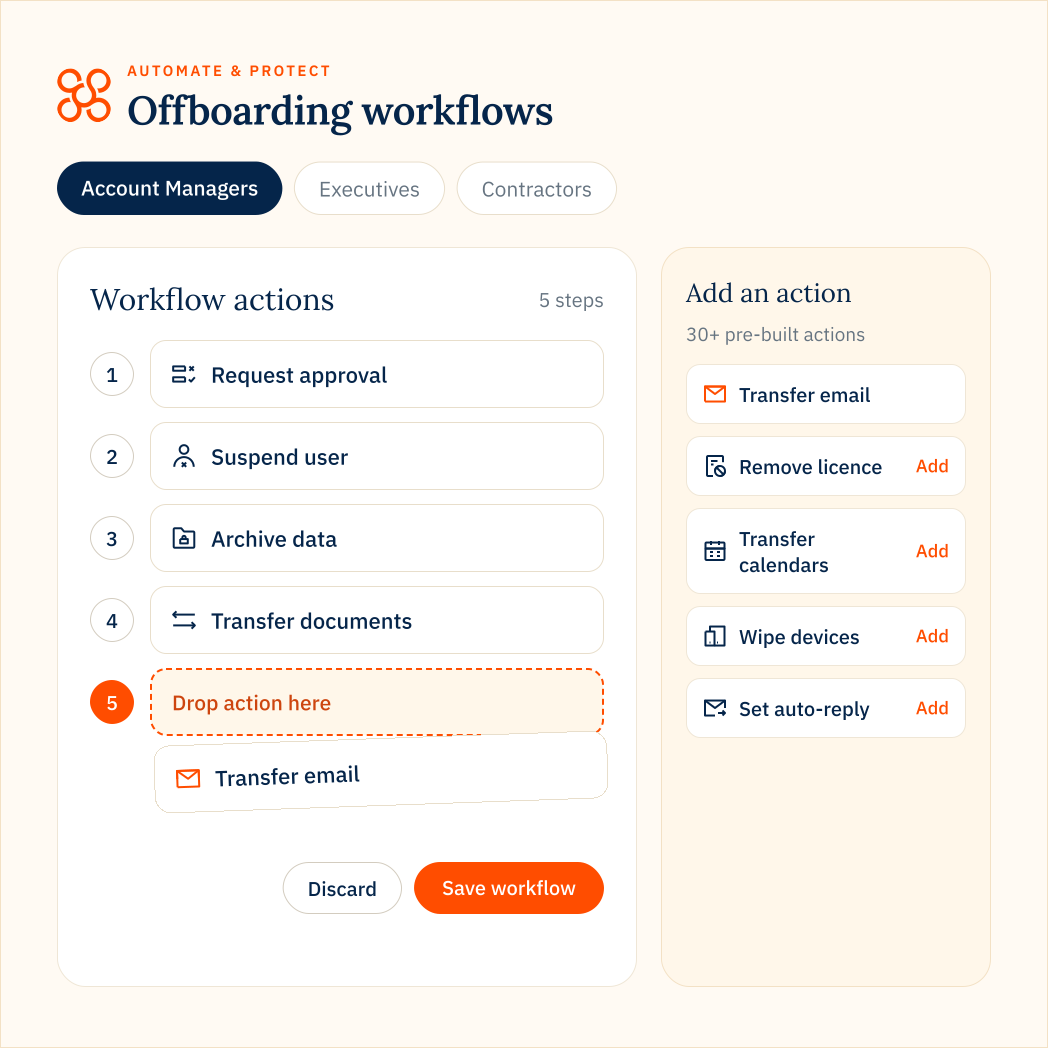
Choose from 30+ pre-built offboarding actions and arrange them into workflows that match your security, data retention and handover requirements.

  • Access – suspend users, change passwords and revoke access.
  • Devices – wipe data from mobile devices and user accounts from ChromeOS devices.
  • Email – set out-of-office messages, delegate Gmail access and assign aliases.
  • Data – archive leaver data into your own cloud storage and manage backup retention.
  • Ownership – transfer documents, calendars, groups, contacts and Shared Drives.
  • Licenses – remove licenses, apply Archived User licences or delete accounts.
data handover

Decide where a leaver’s data goes before anything moves

Not every employee’s data should go to the same person.

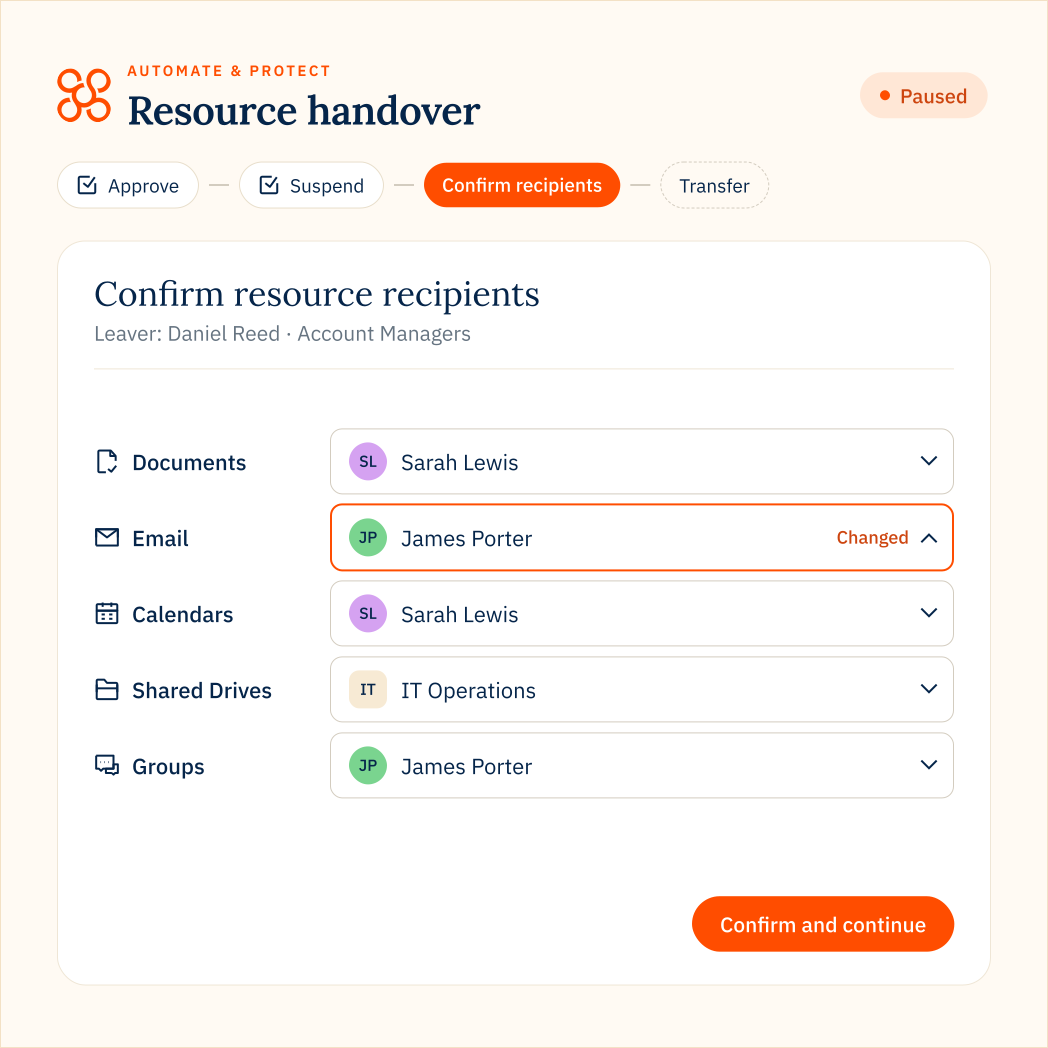
In Automate & Protect, you can pause a workflow to confirm or change who receives a departing user’s data before it continues. You can set different recipients for documents, calendars, groups, contacts, Shared Drives, reports, email and more.

  • Route different resources to different people at the point of departure.
  • Override default recipients when the best owner changes.
  • Validate recipients before transfers begin to reduce failed handovers.
  • Automation handles the process. Your team keeps control of the decisions.
flexible triggers

Start offboarding automatically when the user leaves

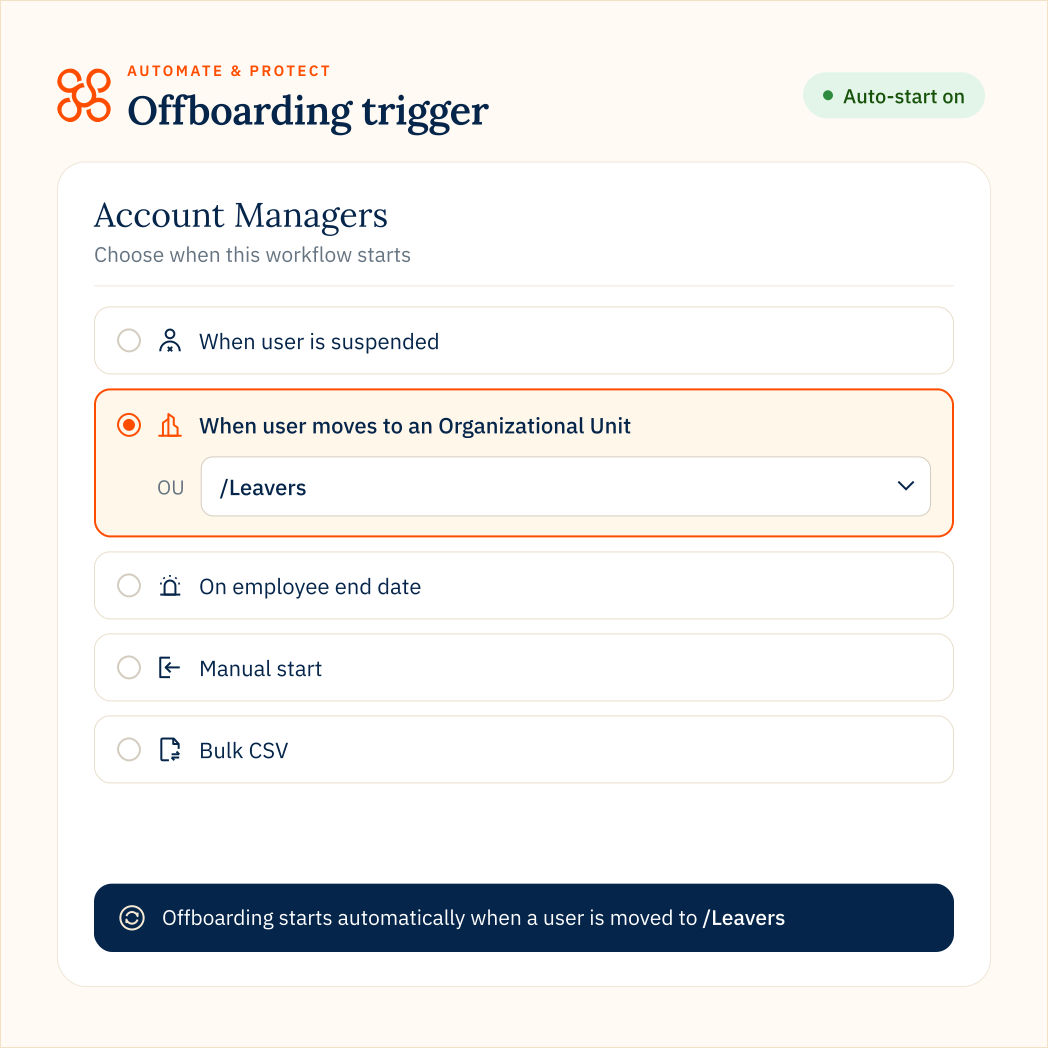
You don’t have to rely on an admin remembering to start the process. Automate & Protect can trigger Google Workspace offboarding in several ways:

  • Automatically when an account is suspended
  • When a user is placed in the Leavers Organizational Unit
  • At a scheduled end date and time
  • Manually for individual users
  • In bulk using CSV
dIFFERENT USERS, DIFFERENT WORKFLOWS

Apply the right offboarding process to different types of leavers

An employee, senior executive and contractor may each need a very different offboarding workflow.

In Automate & Protect you can build unique workflows around different teams, roles, regions or business requirements, including approval steps, resource allocation, security actions, data retention and account handling.

Build one workflow on Essential, up to three on Pro, or unlimited workflows on Enterprise.

Standard employee

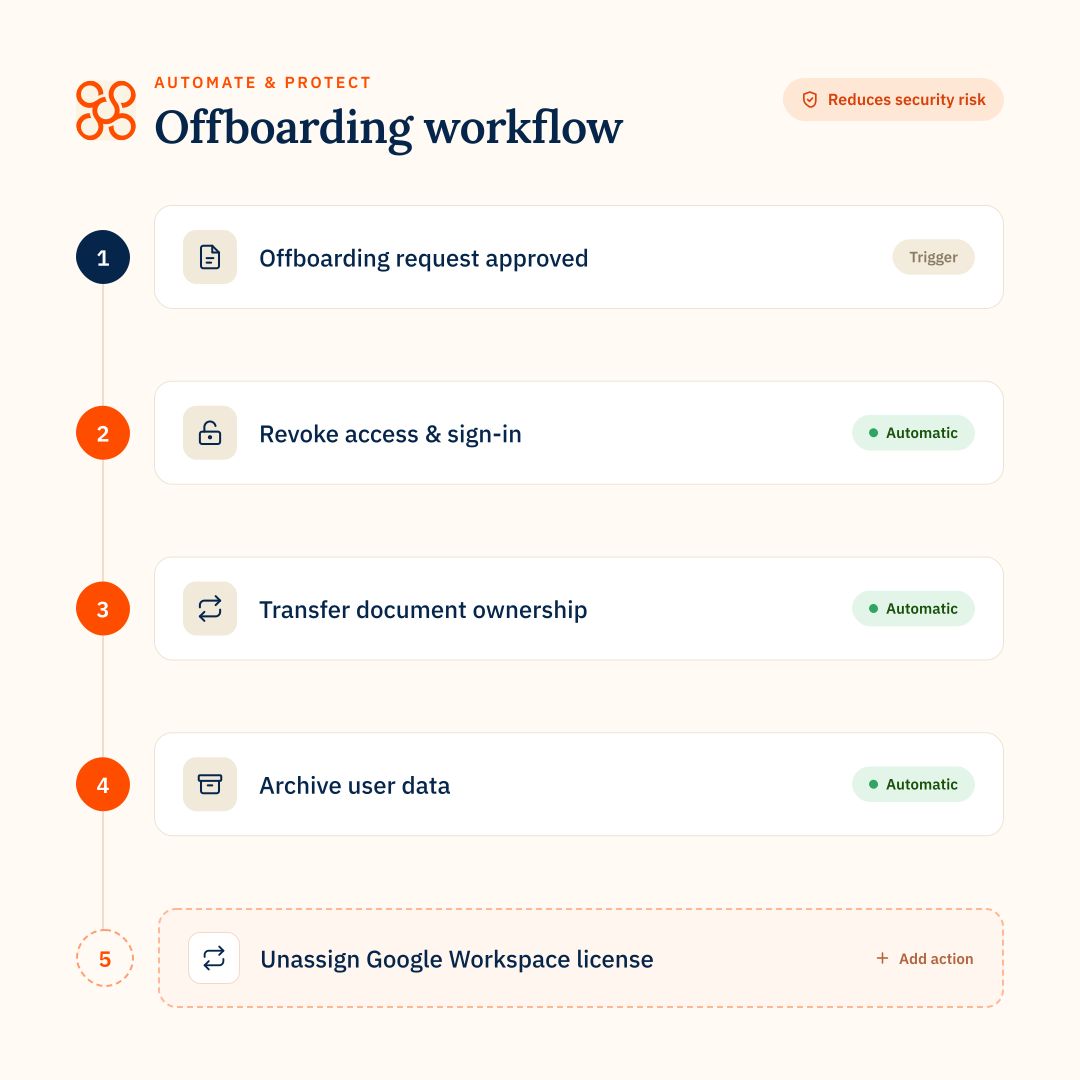
Secure access → archive data → transfer ownership → reclaim license → delete account.

Executive departure

Require approval → confirm resource owners → secure devices and access → transfer data → archive the account.

Contractor departure

Secure access → transfer required files → retain essential data → remove licence → delete account.


PART OF AUTOMATE & PROTECT

Connect offboarding to the data protection lifecycle

Offboarding sits alongside Backup and Archive in CloudM Automate & Protect, so you can protect data while users are active, retain what you need when they leave and remove licences when they’re no longer required.
Explore Automate & Protect
Back up active data
Retain leaver data for less
Automate leaver offboarding
GOOGLE WORKSPACE OFFBOARDING

FAQs

What is Google Workspace automated offboarding?
Google Workspace automated offboarding uses predefined workflows to carry out the actions required when a user leaves an organization. This can include suspending access, revoking authentication, transferring files and other resources, archiving data, managing email and removing licenses.
What can you automate when a Google Workspace user leaves?
Automate & Protect provides 30+ pre-built offboarding actions covering access, security, devices, Gmail, Google Drive, Shared Drives, calendars, contacts, groups, data retention, licences and account deletion.

Available workflow steps include:

Request offboarding approval
Suspend user access
Change password
Revoke 2-Step Verification
Remove recovery methods
Revoke application-specific passwords
Revoke OAuth tokens
Wipe mobile devices
Wipe ChromeOS devices
Set an out-of-office message
Remove email forwarding settings
Revoke delegated Gmail access
Delegate Gmail access to another user
Move the user to another organizational unit
Hide the user from the Global Address List
Rename the user
Assign an alias
Archive user data
Archive Vault data
Purge backup data after a set number of days
Transfer document ownership
Transfer group ownership
Transfer contacts
Transfer Shared Drives
Transfer Looker Studio reports
Migrate calendar events
Migrate emails
Remove the user from groups
Unassign licenses
Apply a Google Archived User (AU) license
Delete user
Can Google Drive files and Shared Drives be transferred during offboarding?
Yes. Workflows can transfer ownership of a user’s documents and transfer Shared Drives to another user. You can also specify or confirm the recipient during offboarding using resource allocation.
Can Gmail be handed over when an employee leaves?
Yes. Workflows can migrate email to another user, delegate Gmail access, assign aliases, set an out-of-office message and remove existing forwarding or delegated access.
Can employee data be archived before a Google Workspace account is deleted?
Yes. An Archive step can preserve Gmail, Drive and Chat data in your own Google Cloud Storage or Amazon S3 environment before later account or license actions occur. Vault data can also be archived using the Archive Vault step.
How can an automated offboarding workflow be triggered?
A workflow can be started manually, scheduled using an employee end date, triggered when a Google Workspace account is suspended, triggered when a user moves into a specified Organizational Unit or initiated in bulk using CSV.