
how it works

Keep teams working during Microsoft 365 outages
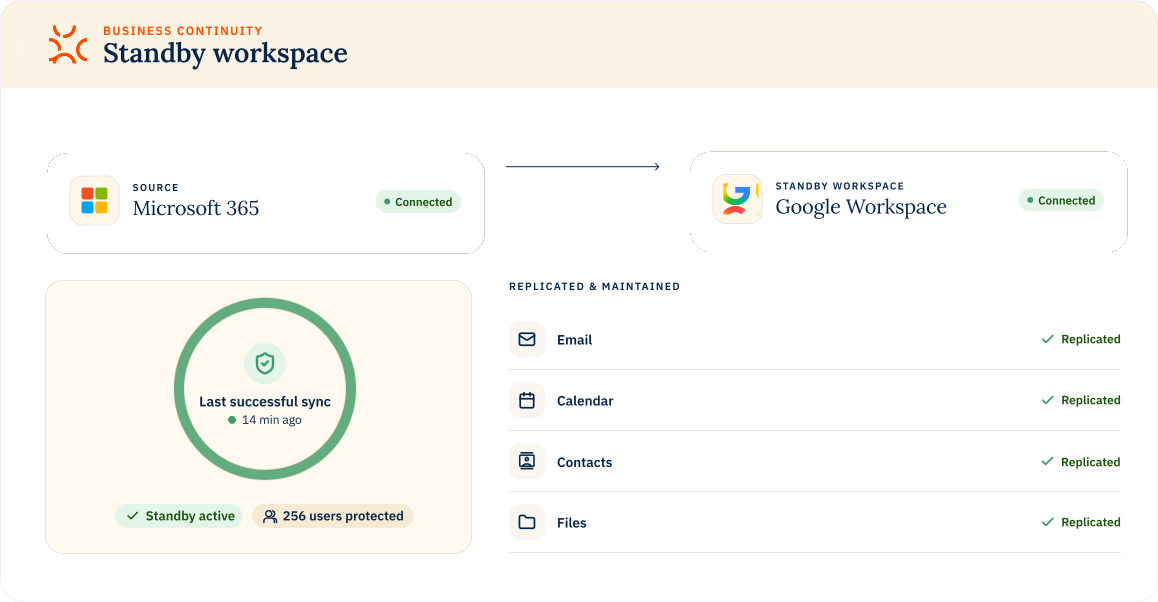
Replicate email, calendars, contacts and files into a standby Google Workspace environment, so Microsoft 365 users can keep working when access is interrupted.
DORA
Meets 2-hour restoration mandate
NIS2
Cybersecurity
resilience
resilience
HIPAA
Healthcare data continuity
SEC
Helps meet Reg S-P
Create a standby copy
Microsoft 365 email, calendars, contacts and files are copied to Google Workspace and updated on your chosen schedule. The initial mail copy includes the most recent 30 days.
Switch platform
During an outage, users immediately switch to the standby Google Workspace environment. Data is ready and waiting so work can continue without delay.
Sync back data
When Microsoft 365 returns, activity performed in Google Workspace syncs back automatically as part of recovery.
TEAM-LEVEL RECOVERY PLANNING
A disaster recovery plan for every team
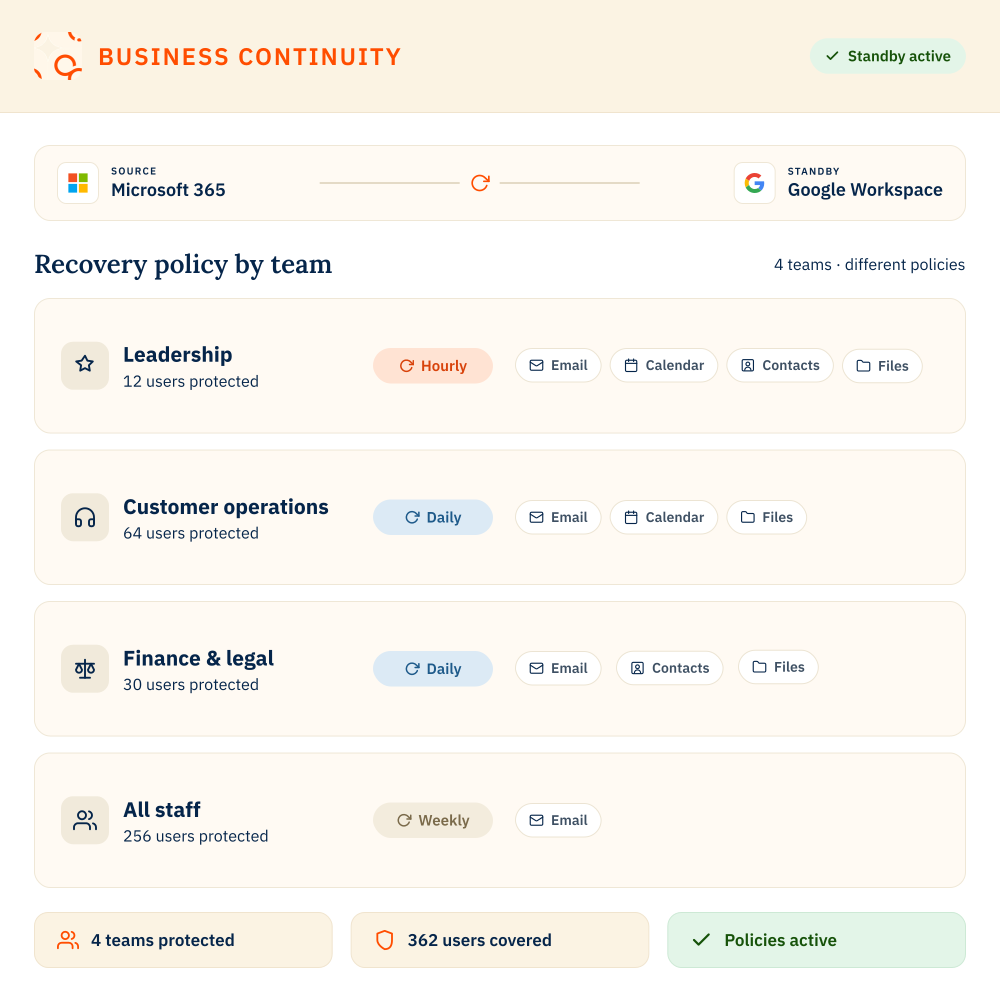
Business Continuity gives organizations the flexibility to protect each team based on its operational readiness needs.
- Apply different sync policies to different teams, from weekly, daily or hourly.
- Choose what you sync, from email, contacts, calendar and files.
- Once your workspace is fully replicated, only changes are synced to keep the standby environment up to date.
what’s included
Business Continuity pricing
Business Continuity
Ideal for regulated and business-critical organizations
From
$1.00
per user / month (weekly sync)
Choose your coverage

What you sync
Mail, calendar, contacts and documents

How often you sync
Weekly, daily or hourly sync
What’s included?

Built for DORA and NIS2
Hourly sync supports DORA’s 2-hour restoration mandate and NIS2 resilience requirements

Live standby environment
Users switch to Google Workspace immediately during outages

Automatic reverse sync
Changes made during an outage sync back to Microsoft 365
Licensing

Works with Google’s low-cost standby licenses
Google Workspace Business Continuity Plus licenses are purchased separately
risk profiles
Choose the right sync frequency for every team
Weekly sync
For lower-risk teams
Sync core Microsoft 365 data weekly to maintain a basic standby environment in Google Workspace.
DAILY SYNC
For teams that need recent working data
Sync Outlook email, calendar, contacts and files daily so teams have access to yesterday’s data if Microsoft 365 goes down.
HOURLY SYNC
For mission-critical operations
Sync critical Microsoft 365 data hourly to support shorter recovery windows and stricter resilience needs.

BUSINESS CONTINUITY
FAQs
Do users need Google Workspace licenses?
Yes. Google’s lower-cost Business Continuity Plus plan is designed to give users access to a ready-to-use standby environment without the cost of full Google Workspace licences.
The Business Continuity Plus plan supports synchronised email, calendar and chat data and can be used for up to 60 days each year.
CloudM can automatically create Google Workspace accounts for matched Microsoft 365 users who don’t already have one.
The Business Continuity Plus plan supports synchronised email, calendar and chat data and can be used for up to 60 days each year.
CloudM can automatically create Google Workspace accounts for matched Microsoft 365 users who don’t already have one.
Is Business Continuity a backup product?
No. Business Continuity is designed to keep teams working during a Microsoft 365 outage. It replicates key Microsoft 365 data into a hot standby Google Workspace environment, so users can continue accessing email, calendars and files if Microsoft 365 becomes unavailable.
What data is included as standard?
Business Continuity replicates email into Google Workspace as standard with contacts, calendar and files available as add-ons.
What happens when Microsoft 365 comes back online?
When Microsoft 365 is restored, teams can move back to their primary environment. Any work completed in Google Workspace during the outage can be managed as part of the recovery process.