
WHY AUTOMATED OFFBOARDING MATTER

Automate high-risk Google Workspace offboarding
Replace manual leaver processes with controlled workflows that handle access, data, ownership and licences in the right order.

Offboarding gaps

Inconsistent user changes

Hidden license waste
WORKFLOW CAPABILITIES
Close the gaps when employees leave
Offboarding is one of the highest-risk admin moments in Google Workspace. Automate & Protect gives you repeatable automated offboarding workflows, so access, data and license actions happen in the right order.
- Revoke access consistently when users leave
- Archive data before licenses are removed
- Transfer ownership of files and folders
- Remove licenses to reduce unnecessary spend
calculate SAVINGS
Save time by automating leaver offboarding
Drag to match your team’s size
Estimated annual savings
$32,311
1,000 IT hours saved per year in user offboarding
WORKFLOW CAPABILITIES
Automate every part of Google Workspace offboarding
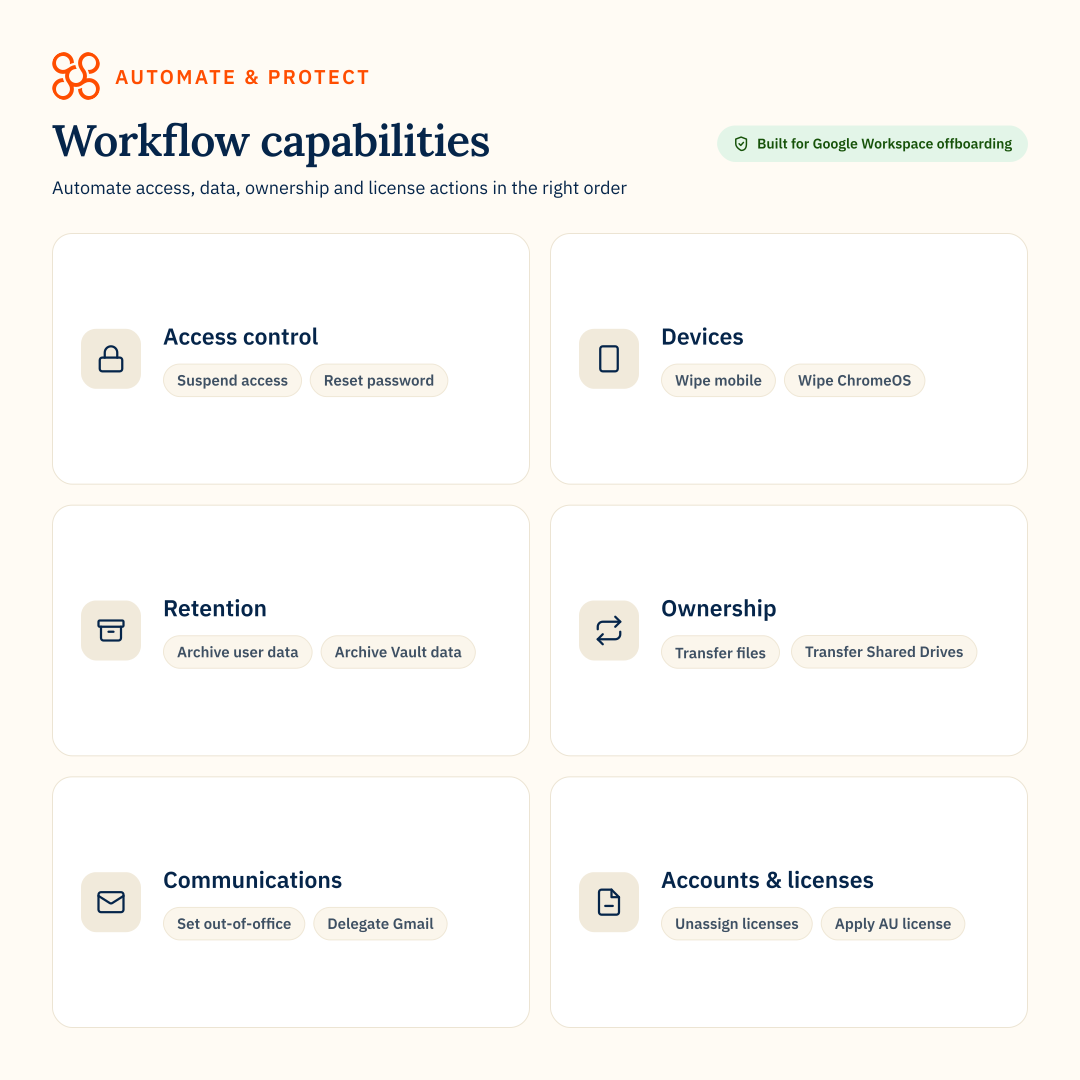
Build workflows from a broad library of 30+ pre-built actions covering access, devices, data, ownership, communications and account cleanup.

Access and security

Devices

Data retention

Ownership and handover

Email and communications

Licences and accounts
“Flawless Offboarding Automation with Clear ROI and an Intuitive UI”


Connect workflows to backup, archive and signatures
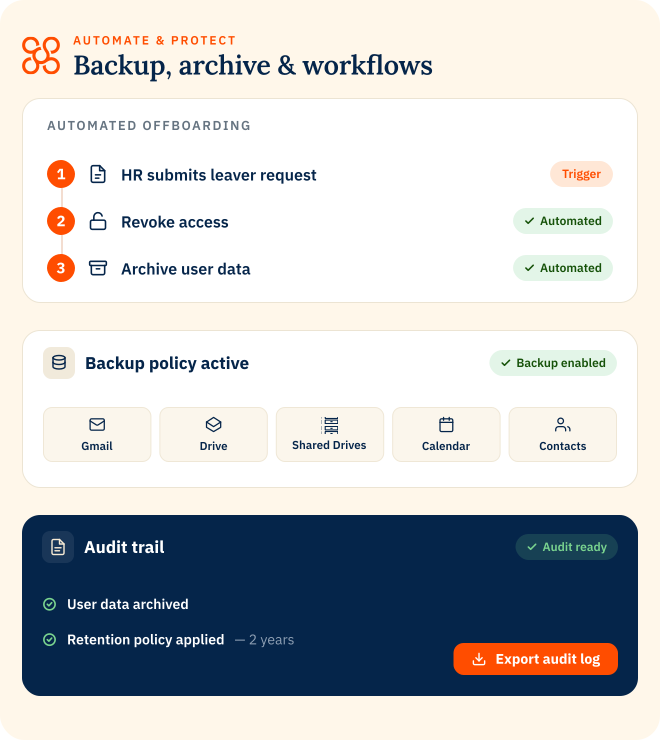
Workflows sit inside Automate & Protect, so user lifecycle actions can trigger backup, archive, signature and license tasks from one platform.
Explore Automate & Protect
Back up
data
Retain
records for less
Reclaim
licenses
WORKFLOWS
FAQs
- Workflow setup & actions
- Offboarding risk & compliance
- Archive and data retention
How do workflows reduce offboarding risk?
Workflows help teams apply the same access, data and license actions every time someone leaves. This reduces gaps such as forgotten access, missed data transfers or licenses being removed before data is protected.
How do workflows support compliance?
Workflows help standardize offboarding activity and create a clearer record of what happened. Teams can use workflow history and audit logs to evidence access, backup, archive and license actions during reviews.
Do workflows require coding?
No. Workflows are built using pre-built actions and configurable rules, so IT teams can automate common offboarding steps without writing code.
What actions are available in an offboarding workflow?
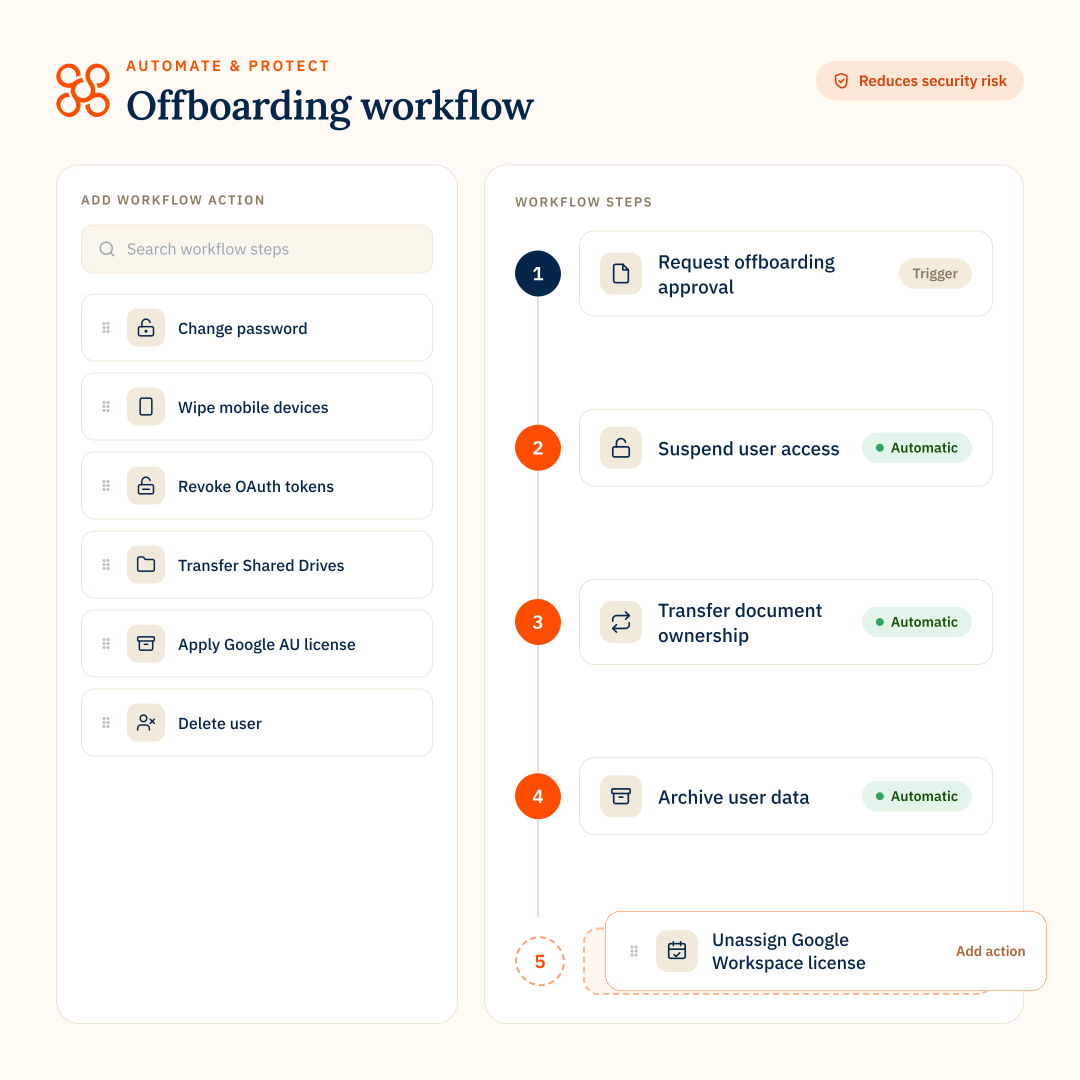
Workflows can include actions to control access, protect data, transfer ownership and clean up licenses. Available workflow steps include:
Request offboarding approval
Suspend user access
Change password
Revoke 2-Step Verification
Remove recovery methods
Revoke application-specific passwords
Revoke OAuth tokens
Wipe mobile devices
Wipe ChromeOS devices
Set an out-of-office message
Remove email forwarding settings
Revoke delegated Gmail access
Delegate Gmail access to another user
Move the user to another organizational unit
Hide the user from the Global Address List
Rename the user
Assign an alias
Archive user data
Archive Vault data
Purge backup data after a set number of days
Transfer document ownership
Transfer group ownership
Transfer contacts
Transfer Shared Drives
Transfer Looker Studio reports
Migrate calendar events
Migrate emails
Remove the user from groups
Unassign licenses
Apply a Google Archived User (AU) license
Delete user
Request offboarding approval
Suspend user access
Change password
Revoke 2-Step Verification
Remove recovery methods
Revoke application-specific passwords
Revoke OAuth tokens
Wipe mobile devices
Wipe ChromeOS devices
Set an out-of-office message
Remove email forwarding settings
Revoke delegated Gmail access
Delegate Gmail access to another user
Move the user to another organizational unit
Hide the user from the Global Address List
Rename the user
Assign an alias
Archive user data
Archive Vault data
Purge backup data after a set number of days
Transfer document ownership
Transfer group ownership
Transfer contacts
Transfer Shared Drives
Transfer Looker Studio reports
Migrate calendar events
Migrate emails
Remove the user from groups
Unassign licenses
Apply a Google Archived User (AU) license
Delete user
How are workflow actions ordered?
Some workflow steps must run at the beginning or end of the workflow, while others can be placed in between.
Beginning workflow steps:
Request offboarding approval
Suspend user access
End workflow steps:
Unassign licenses
Apply Google Archived User (AU) license
Delete user
Most other steps are flexible, so teams can build an offboarding sequence that matches their security, data retention and operational requirements.
Beginning workflow steps:
Request offboarding approval
Suspend user access
End workflow steps:
Unassign licenses
Apply Google Archived User (AU) license
Delete user
Most other steps are flexible, so teams can build an offboarding sequence that matches their security, data retention and operational requirements.
Can Automate & Protect transfer ownership during offboarding?
Yes. CloudM can transfer ownership of documents, groups, contacts, Shared Drives and Looker Studio reports. It can also migrate calendar events and emails, delegate Gmail access or assign an alias to another user.
Which workflow steps are irreversible?
Delete User is irreversible. It permanently deletes the user profile from CloudM Automate and the Google Workspace domain, so it can only run at the end of a workflow.
Can workflow steps be reused more than once?
Some steps can be used more than once in the same workflow, including changing a password, delegating access, moving a user and renaming a user. Most other steps can only be used once per workflow.
Can Google Workspace offboarding be fully automated?
Yes. With Automate & Protect you can automate different offboarding workflows for different teams, roles or business needs in Google Workspace. Pre-built actions cover access, data retention, ownership transfer, email, devices and licence removal.
Workflows can also start automatically based on events such as account suspension, OU changes or an employee end date.
Learn more about Google Workspace automated offboarding
Workflows can also start automatically based on events such as account suspension, OU changes or an employee end date.
Learn more about Google Workspace automated offboarding
Can workflows archive user data during offboarding?
Yes. An offboarding workflow can include an Archive step, so a leaving user’s Gmail, Drive and Chat data is archived to your cloud storage before the account is deleted or licenses are removed.
How does Archive help reduce Google Workspace license costs?
Archive can help reduce reliance on Google Archived User licenses by moving leaver data out of Google Workspace and into your own cloud storage.
Once the right archive and retention steps are complete, teams can remove or reassign licenses
Once the right archive and retention steps are complete, teams can remove or reassign licenses