

CloudM Automate & Protect vs BetterCloud
Automate & Protect goes deeper where Google Workspace data needs to be managed, protected, retained and recovered.
BetterCloud is broader across SaaS with less specialization around Workspace data management.
Automate & Protect
A dedicated platform to manage, protect and retain Google Workspace data.
✔ Manage My Drive and Shared Drives at scale
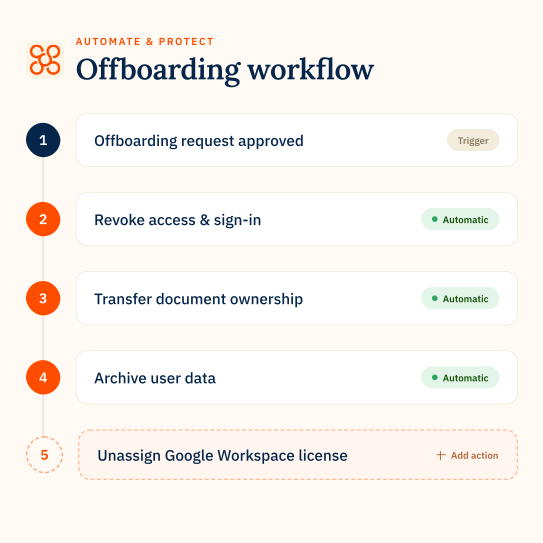
✔ Offboard users with native data archive and backup built in
✔ Workspace data stored in customer-controlled storage
✔ Manage My Drive and Shared Drives at scale
✔ Offboard users with native data archive and backup built in
✔ Workspace data stored in customer-controlled storage

BetterCloud
A broader SaaS management platform for users, applications, spend and security.
✔ Automate onboarding, role changes and offboarding across SaaS apps
✔ Manage SaaS usage, licenses and spend
✔ Govern file access and security across connected applications
✔ Automate onboarding, role changes and offboarding across SaaS apps
✔ Manage SaaS usage, licenses and spend
✔ Govern file access and security across connected applications
How Automate & Protect compares in key areas
Google Drive management
Manage Google Drive vs govern file sharing
CloudM Automate & Protect
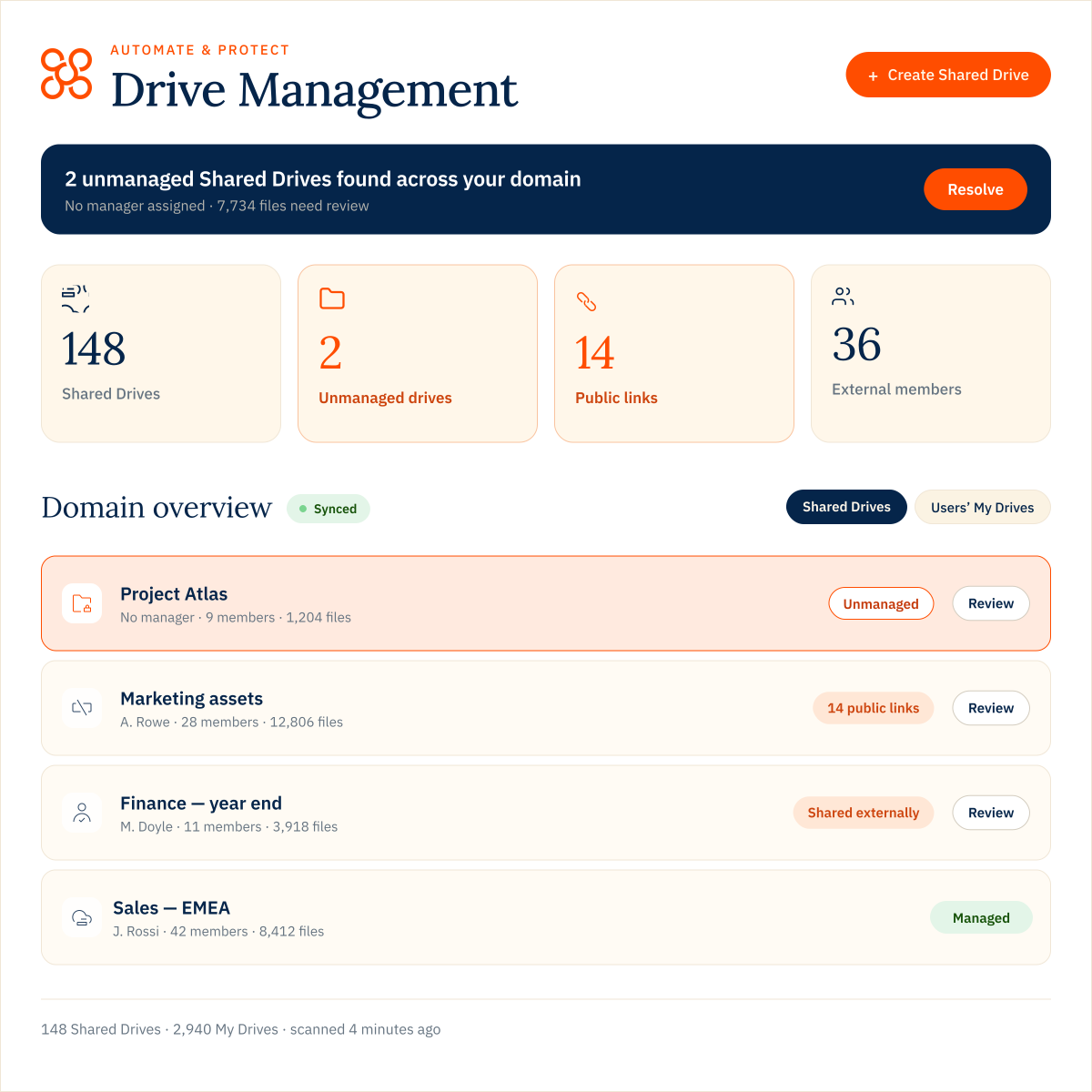
Manage My Drives and Shared Drives from one central view, with the controls to find unmanaged Drives, manage members and roles, update settings and make changes across multiple Drives at once.
BetterCloud
Manage file access and sharing through policies. Prompt file owners to review access and automatically remediate permissions.
The difference
Automate & Protect gives IT teams direct control over Shared Drives, not just files, making it better suited to ongoing Google Drive administration at scale.
workflows
Offboarding that handles the data left behind
CloudM Automate & Protect
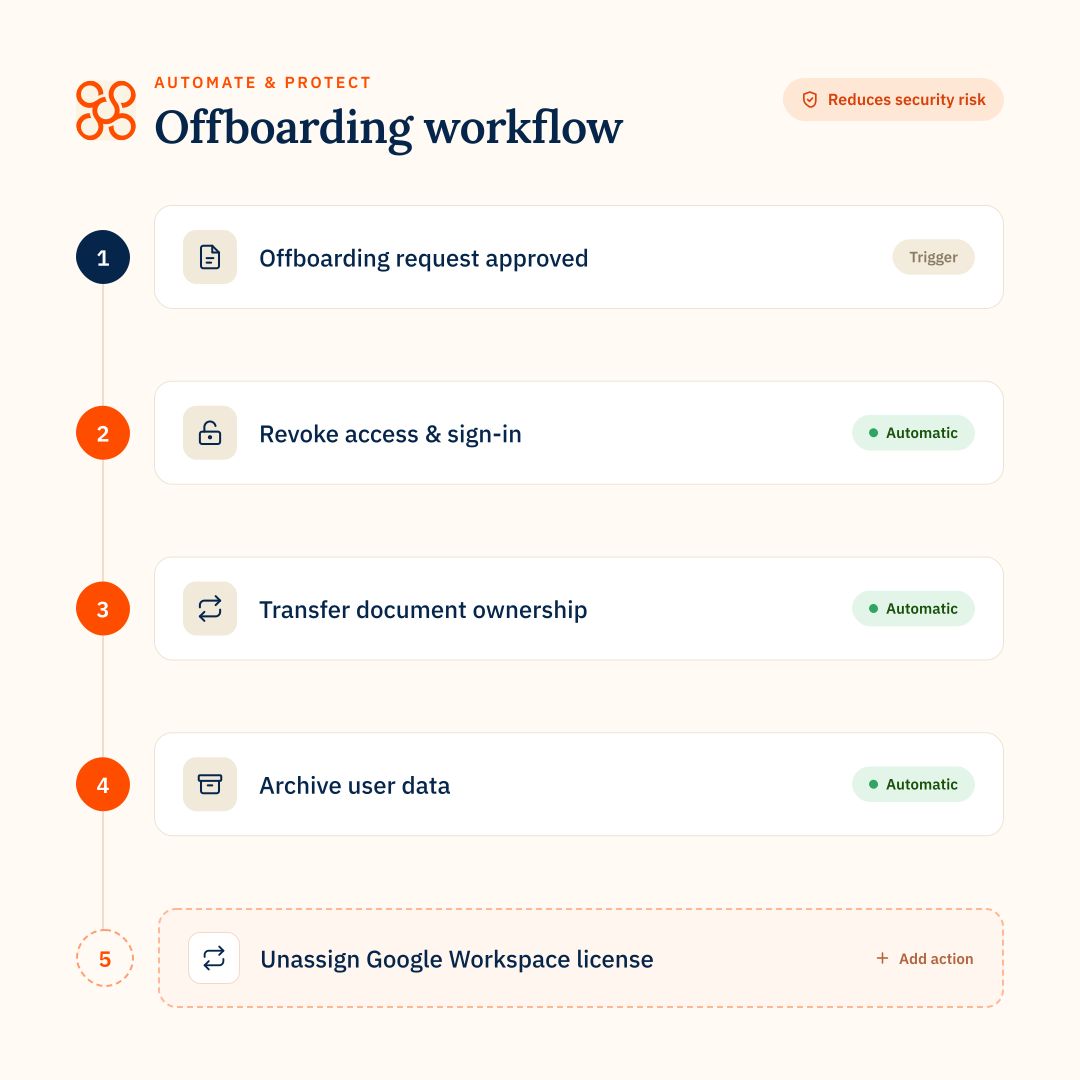
Build Google Workspace offboarding around data retention. Archive Mail, Drive and Chat into your own searchable, retrievable storage, then remove the user and release GWS licenses once data is retained.
BetterCloud
Automate account actions such as transferring Drive ownership, redirecting or delegating email, removing access and suspending the user. Retaining leaver data rely on ongoing Google Archived User license fees.
The difference
Automate & Protect lets you retain leaver data without continuing to pay for a Google Archived User license.
archive
Retain data, reclaim licenses
CloudM Automate & Protect
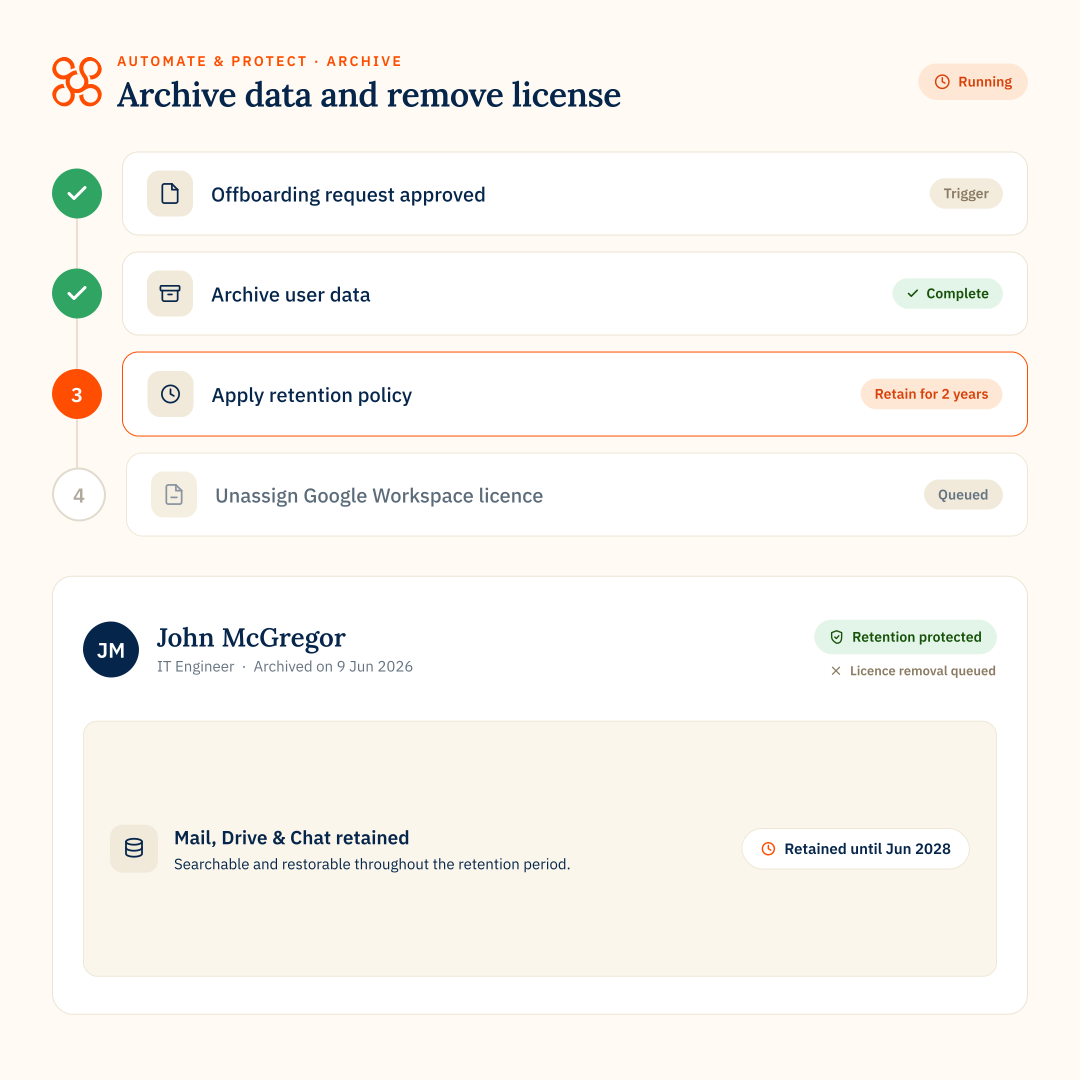
Retain Mail, Drive and Chat in your own searchable, retrievable storage before removing the user and releasing licenses.
BetterCloud
Automate offboarding actions and assign Google Archived User licenses to retain leaver data in Google Workspace.
The difference
Automate & Protect lets you retain leaver data independently, without relying on ongoing Google Archived User license fees.
backup
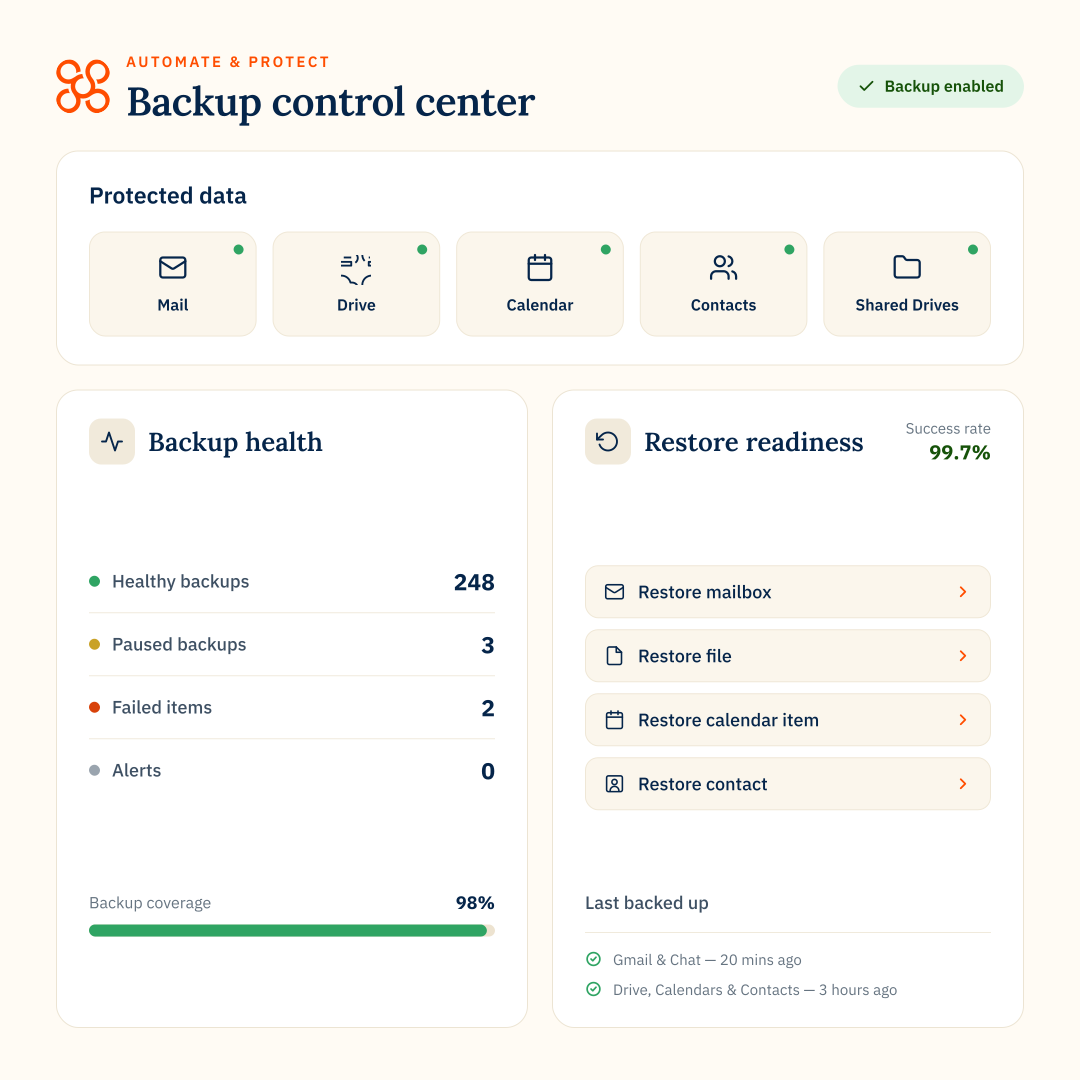
Native Google Workspace backup
CloudM Automate & Protect
Native Google Workspace backup for Gmail, Drive, Shared Drives, Calendar, Contacts and Chat, stored in your own Google Cloud Storage or Amazon S3 environment.
BetterCloud
No native Google Workspace backup product.
The difference
Automate & Protect includes backup and granular restore in the platform, so you can recover individual items, users or Shared Drives without adding a separate backup product.
email signatures
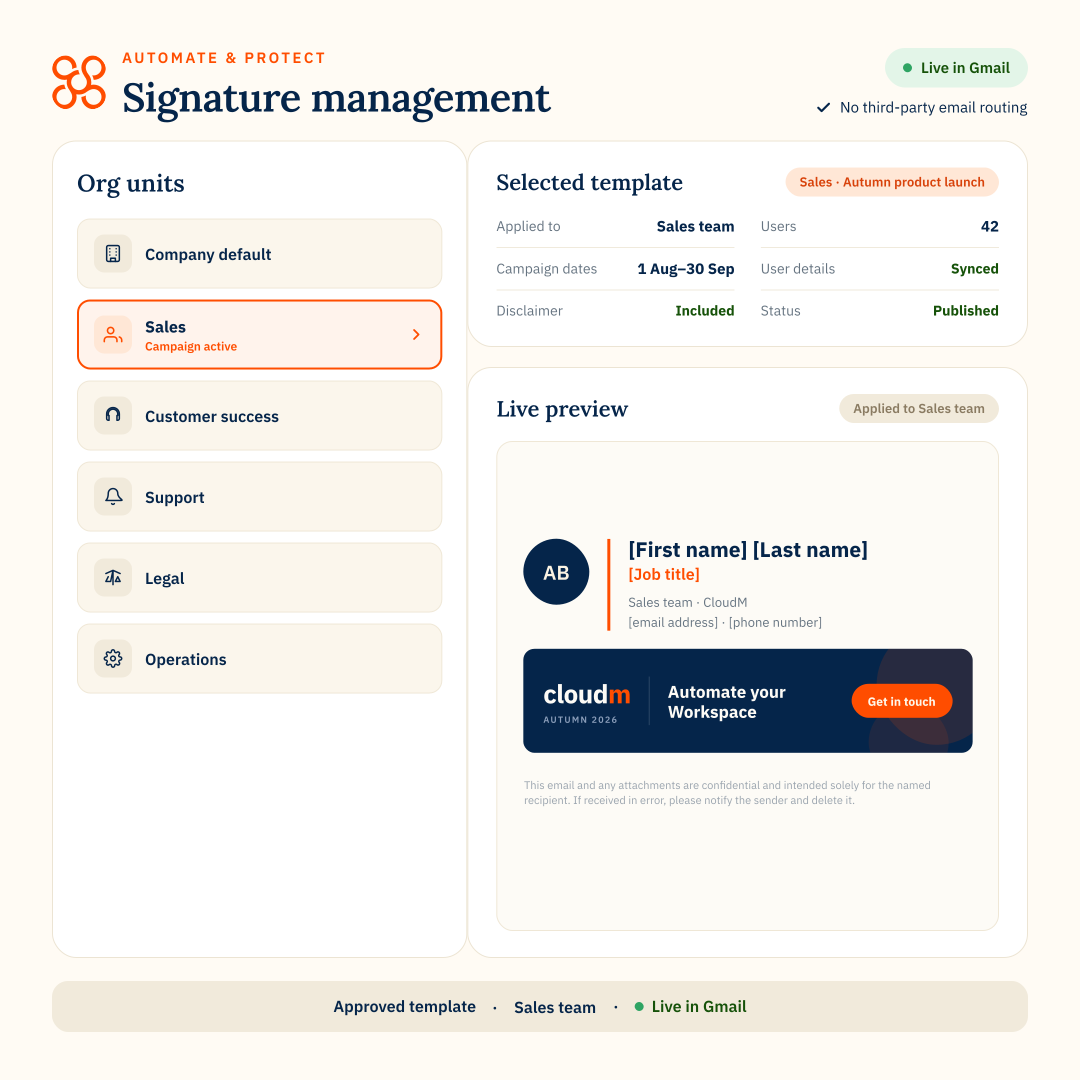
Central Gmail signatures
CloudM Automate & Protect
Manage Google Workspace email signatures centrally, including templates, scheduling and targeted campaigns.
BetterCloud
Can update Google Workspace signatures but BetterCloud does not have a dedicated signature-management product.
The difference
Automate & Protect gives teams a purpose-built way to build and manage signatures continuously.
Where Automate & Protect excels
Automate & Protect is strongest when IT teams want to manage Google Workspace data, offboarding, protection and retention in one connected platform.
Control Google Workspace data at scale
Manage Drive, Shared Drives and offboarding from one place.
Protect and retain data without extra products
Native Backup and Archive are built into Automate & Protect.
Reduce Google Archived User license dependency
Retain leaver data in customer-controlled storage and save on license costs.
FEATURE COMPARISON
CloudM Automate & Protect vs BetterCloud
CloudM Automate & Protect
BetterCloud
Platform focus
Google Workspace data management and protection
Multi-SaaS management
Google Workspace offboarding
Offboarding + leaver data retention
Lifecycle + account actions
Onboarding workflows
–
Cross-SaaS workflows
–
Google Drive management
Shared Drive management
Managers, members, settings + bulk actions
File access and sharing
Unmanaged Shared Drive detection
–
External Drive sharing visibility
Drive remediation
Admin-led bulk changes
Policy + owner-led remediation
Custom Google Drive queries
Build queries to find specific Drive issues across My Drives and Shared Drives.
–
Backup
Native backup + granular restore
–
Customer-controlled backup storage
Store backup data in your own Google Cloud Storage or Amazon S3 environment
–
Granular backup restore
Files, folders, email and user-level restore
–
Dedicated leaver archive
Drive, Mail and Chat
–
Archive data storage
Automate & Protect stores archive data in your own Google Cloud Storage or Amazon S3 environment. BetterCloud stores archive data in Google Workspace and accessible through Vault.
Customer-controlled Archive
Google Workspace via AU license
Search retained leaver data
Via Google Vault
Reclaim Google licenses after offboarding
AU license replaces full license
Email signatures
Dedicated capability
Exportable audit logs
SaaS spend management
–
Where BetterCloud may be a fit
BetterCloud may be a better fit when the priority is broad SaaS administration rather than deeper Google Workspace data management.
Multi-SaaS environments
Manage users and workflows across many SaaS applications.
Broad lifecycle automation
Manage onboarding and offboarding across SaaS apps, with less depth around Google Workspace data handling.
SaaS spend management
Track usage, wasted licenses and SaaS spend.
AUTOMATE & PROTECT VS BETTERCLOUD
FAQs
- Overview
- Google Drive
- Workflows & Archive
- Backup
TL;DR – What’s the difference between CloudM Automate & Protect and BetterCloud?
Both platforms help organizations manage Google Workspace, but they are built around different priorities.
Automate & Protect focuses on managing, protecting and retaining Google Workspace data through Drive Management, Backup, Archive and automated offboarding.
BetterCloud is a broader SaaS management platform for automating user lifecycles, managing applications and licenses, and applying security and file-governance controls across multiple SaaS tools.
Automate & Protect focuses on managing, protecting and retaining Google Workspace data through Drive Management, Backup, Archive and automated offboarding.
BetterCloud is a broader SaaS management platform for automating user lifecycles, managing applications and licenses, and applying security and file-governance controls across multiple SaaS tools.
Is CloudM Automate & Protect only for organisations migrating to Google Workspace?
No. CloudM Migrate and Automate & Protect are separate products.
Automate & Protect is designed for ongoing Google Workspace operations including Drive Management, Backup, Archive, offboarding workflows.
Automate & Protect is designed for ongoing Google Workspace operations including Drive Management, Backup, Archive, offboarding workflows.
Are Automate & Protect and BetterCloud both designed specifically for Google Workspace?
No. Automate & Protect is focused specifically on Google Workspace management and data protection.
BetterCloud supports Google Workspace as part of a broader SaaS management platform designed to work across many business applications.
BetterCloud supports Google Workspace as part of a broader SaaS management platform designed to work across many business applications.
Which platform is more focused on managing Google Workspace data?
Automate & Protect is built around the Google Workspace data lifecycle, managing Drive, handling leaver data, protecting data with Backup and retaining it with Archive.
BetterCloud has strong Google Workspace administration and file-governance capabilities, but its wider focus is managing users, applications, security and spend across a multi-SaaS environment.
BetterCloud has strong Google Workspace administration and file-governance capabilities, but its wider focus is managing users, applications, security and spend across a multi-SaaS environment.
How does Automate & Protect Google Workspace offboarding compare with BetterCloud?
Automate & Protect combines Google Workspace offboarding actions with dedicated data retention. You can archive Mail, Drive and Chat into your own searchable, retrievable storage before removing the user and releasing licenses.
BetterCloud can automate account actions such as suspending users, transferring Drive ownership and redirecting or delegating email. Retaining leaver data relies on ongoing Google Archived User license fees.
BetterCloud can automate account actions such as suspending users, transferring Drive ownership and redirecting or delegating email. Retaining leaver data relies on ongoing Google Archived User license fees.
What does Automate & Protect offer for leaver data that BetterCloud does not?
Automate & Protect includes a dedicated archive for Mail, Drive and Chat in your own Google Cloud Storage or Amazon S3 environment, so required data can be retained independently.
BetterCloud can automate retention through Google Archived User licensing, with data retained in Google Workspace and accessible through Vault.
BetterCloud can automate retention through Google Archived User licensing, with data retained in Google Workspace and accessible through Vault.
Can Automate & Protect reduce Google Archived User license costs compared with BetterCloud?
Automate & Protect gives organizations a route to reclaim the full Workspace license while retaining Mail, Drive and Chat separately through Archive. That can reduce reliance on ongoing Google Archived User licenses for former employees.
Which is more focused on Google Workspace offboarding: Automate & Protect or BetterCloud?
Automate & Protect is purpose-built around Google Workspace offboarding and leaver-data handling, including archive, transfer, redirect, suspension and license release.
BetterCloud has broader lifecycle automation across SaaS applications, but Automate & Protect goes deeper into what happens to Google Workspace data when a user leaves.
BetterCloud has broader lifecycle automation across SaaS applications, but Automate & Protect goes deeper into what happens to Google Workspace data when a user leaves.
What does Automate & Protect Backup offer that BetterCloud does not?
Automate & Protect lets organizations back up Google Workspace data into their own Google Cloud Storage or Amazon S3 environment and restore only what is needed, from a single email, file, user or Shared Drive.
BetterCloud does not provide a native Google Workspace backup product. Its platform supports third-party integrations, but backup and recovery are not core BetterCloud capabilities.
BetterCloud does not provide a native Google Workspace backup product. Its platform supports third-party integrations, but backup and recovery are not core BetterCloud capabilities.
What Google Workspace data can Automate & Protect back up?
Automate & Protect backs up Gmail, My Drive, Shared Drives, Calendar, Contacts and Google Chat.
Mail, Drive and Chat support full or item-level restore, while Calendars and Contacts can be restored in full.
Mail, Drive and Chat support full or item-level restore, while Calendars and Contacts can be restored in full.
Can organizations control where their backup data is stored?
Yes. Automate & Protect supports customer-owned Google Cloud Storage and Amazon S3, giving organizations control over where their backup data resides.
How granular is restore with Automate & Protect?
Automate & Protect can restore individual Gmail messages, Drive files and folders, and Google Chat messages, as well as run full restores where required. Shared Drive data can also be restored rather than simply exported from backup.
How often can Automate & Protect back up Google Workspace data?
Backup frequency can be configured by policy and varies by plan. Enterprise supports Mail and Chat backups as frequently as every 20 minutes, while Drive and Shared Drives can be backed up as frequently as every four hours.
Can different users and data have different backup policies?
Yes. Automate & Protect uses backup policies that can be created, assigned and changed to control how different users and Shared Drives are protected.
What happens to backups when a user leaves?
If a user leaves and their account is deleted, their existing backups can still be kept for the retention period you’ve set, so the data can still be restored later if needed.
How does Automate & Protect Drive Management compare with BetterCloud File Governance?
Automate & Protect Drive Management gives IT teams centralized control across the organization’s Google Drive environment. Administrators can identify unmanaged Shared Drives, manage members and roles, change Drive settings, move Drives between Organizational Units and apply bulk changes across multiple Drives from one place.
BetterCloud File Governance focuses on file-access governance. It helps organizations identify risky sharing, enforce sharing policies.
The difference
Automate & Protect gives administrators more direct control over Shared Drives themselves, not just the files within them. IT teams can manage managers, members, settings, Organizational Unit placement and unmanaged Shared Drives at scale, making it better suited to ongoing operational Drive management.
BetterCloud File Governance focuses on file-access governance. It helps organizations identify risky sharing, enforce sharing policies.
The difference
Automate & Protect gives administrators more direct control over Shared Drives themselves, not just the files within them. IT teams can manage managers, members, settings, Organizational Unit placement and unmanaged Shared Drives at scale, making it better suited to ongoing operational Drive management.
Can Automate & Protect and BetterCloud identify unmanaged Shared Drives?
Automate & Protect can identify Shared Drives with no manager and gives administrators a centralized way to find and remediate them across the organization’s Google Drive environment.
BetterCloud does not have a specific capability for identifying managerless Shared Drives.
The difference
Automate & Protect helps IT teams find and fix Shared Drives without managers before it becomes a governance or access problem.
BetterCloud does not have a specific capability for identifying managerless Shared Drives.
The difference
Automate & Protect helps IT teams find and fix Shared Drives without managers before it becomes a governance or access problem.
How do Automate & Protect and BetterCloud approach Google Drive management at scale?
Automate & Protect is built for centralized management across large numbers of Shared Drives. Administrators can find issues, filter Drives by key criteria and apply consistent changes across multiple Drives from one place.
BetterCloud focuses on management at the file level not Drive level.
The difference
Automate & Protect gives IT teams more direct control over Shared Drives at scale, including managers, members, settings and other Drive-level controls.
BetterCloud focuses on management at the file level not Drive level.
The difference
Automate & Protect gives IT teams more direct control over Shared Drives at scale, including managers, members, settings and other Drive-level controls.