Google Workspace Automation

Stop Managing Google Workspace. Start Automating It.

Get started


Our customers
Trusted by over 80,000 customers worldwide


One platform to control the full user and data lifecycle, from joiner to leaver

CloudM is an all-in-one Google Workspace governance platform built for Day 2 operations. It replaces scripts, manual workflows, and disconnected tools with a single control plane for Workspace admins.

The Challenge

  • Manual onboarding and inconsistent offboarding create admin overhead and missed steps.
  • Fragile scripts break when APIs change, or admins leave.
  • License waste from inactive or misallocated users quietly inflates costs.
  • Security exposure from delayed access removal and over-permissioned accounts.

The Solution

  • Lifecycle Automation: Governs joiners, movers, and leavers through one platform, enforcing consistent, repeatable actions across the entire organization.
  • Reliable Control Plane: Replaces fragile manual scripts with a supported governance layer that remains stable even when APIs change.
  • Automated License Management: Ensures licenses are dynamically allocated and reclaimed based on user state to eliminate unnecessary software spend.
  • Proactive Security Enforcement: Minimizes risk through immediate access revocation and strict policy enforcement the moment a user’s role changes.

Google Workspace automation built for Day 2 operations

Moving to Google Workspace is Day Zero. Provisioning accounts is Day One. Day Two is everything that follows, and where most Workspace environments fail.
CloudM is designed specifically for ongoing governance after setup is complete- from zero-touch onboarding through offboarding, data protection, and recovery.

One lifecycle engine. Four operational states.

CloudM governs Google Workspace by automating control across the entire user lifecycle.

Flowchart highlighting CloudM's solution for Google Workspace automation. Top left: 'Secure Onboarding' in red. Top right: 'Active Governance' in light pink. Bottom left: 'Secure Offboarding' in blue. Bottom right: 'Archival Integrity' in light blue. The chart illustrates a process from onboarding to governance, offboarding, and data integrity, emphasizing automation and security.

Zero-touch Google Workspace lifecycle automation

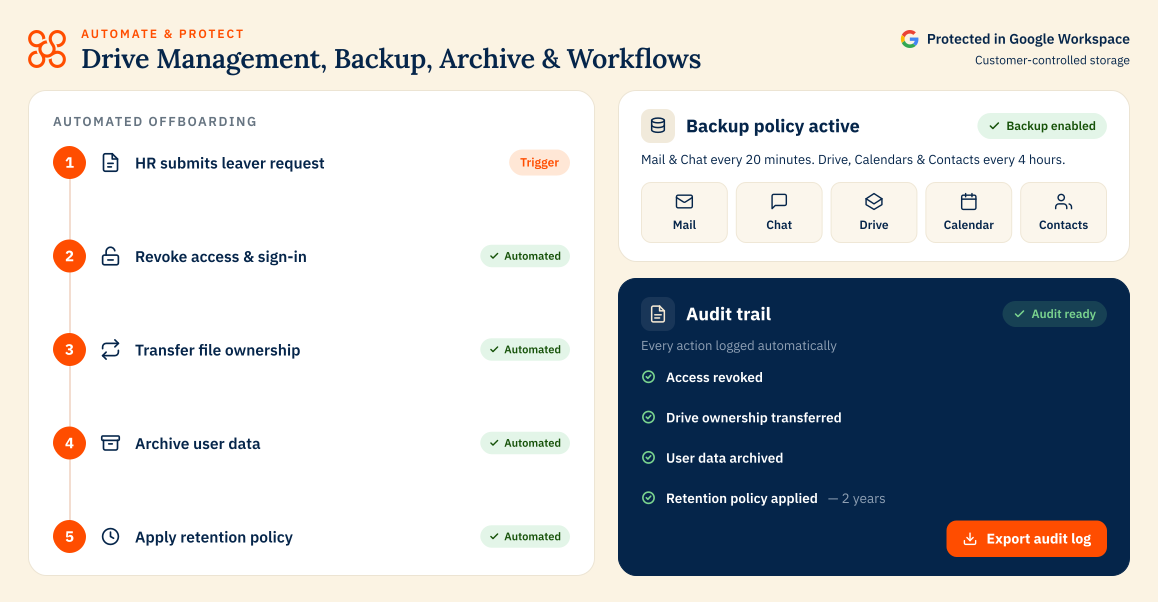
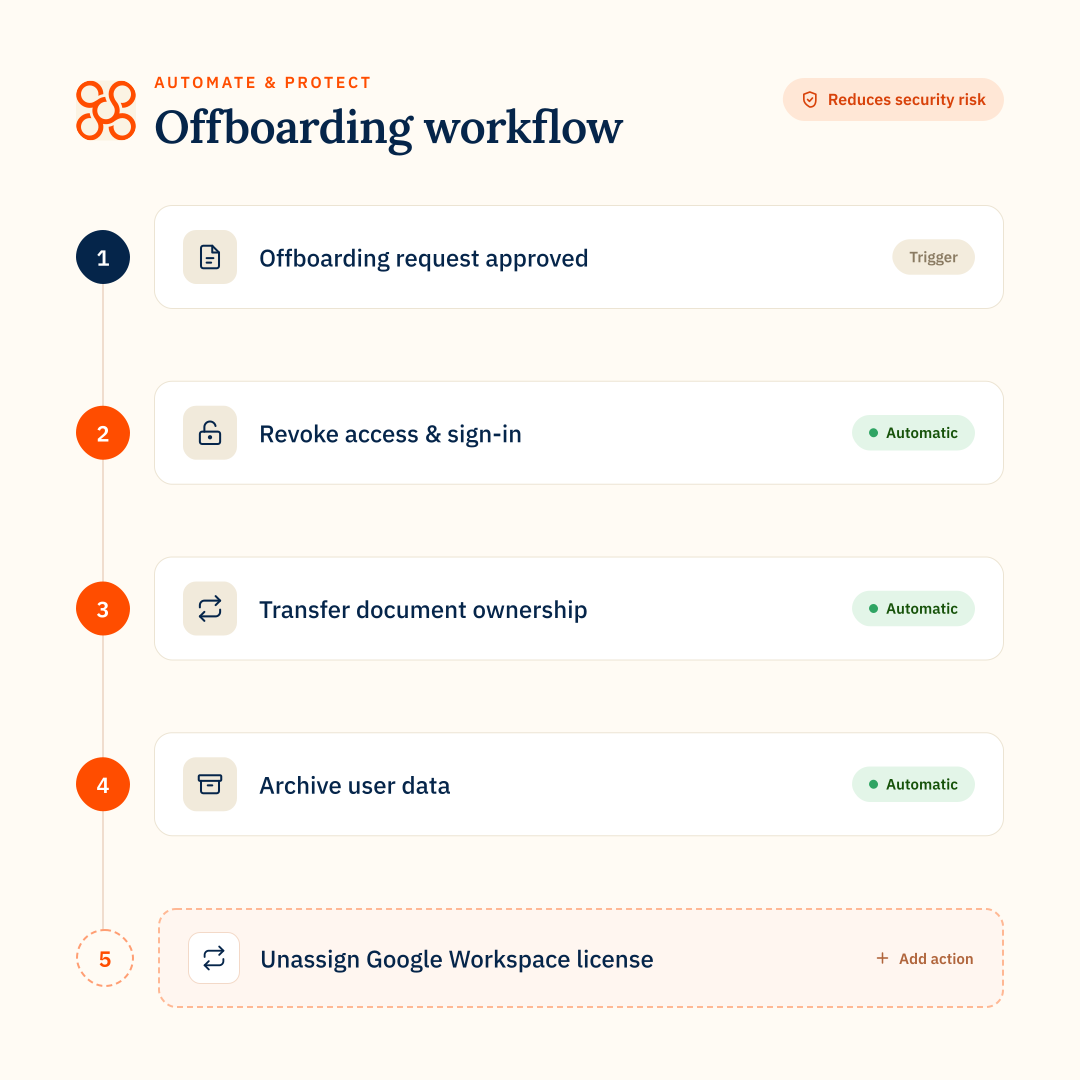
CloudM Automate controls the user lifecycle end-to-end:

  • Accounts are provisioned automatically from identity sources, ensuring users are created, licensed, and configured correctly the moment they join
  • Groups, access, and licenses are applied consistently, with policies driven by organizational data instead of manual admin decisions
  • No scripts to maintain and no manual steps to miss, removing human error from onboarding, role changes, and offboarding
  • Leaver processing is reduced from days to minutes, with access removed immediately and consistently

Data backup

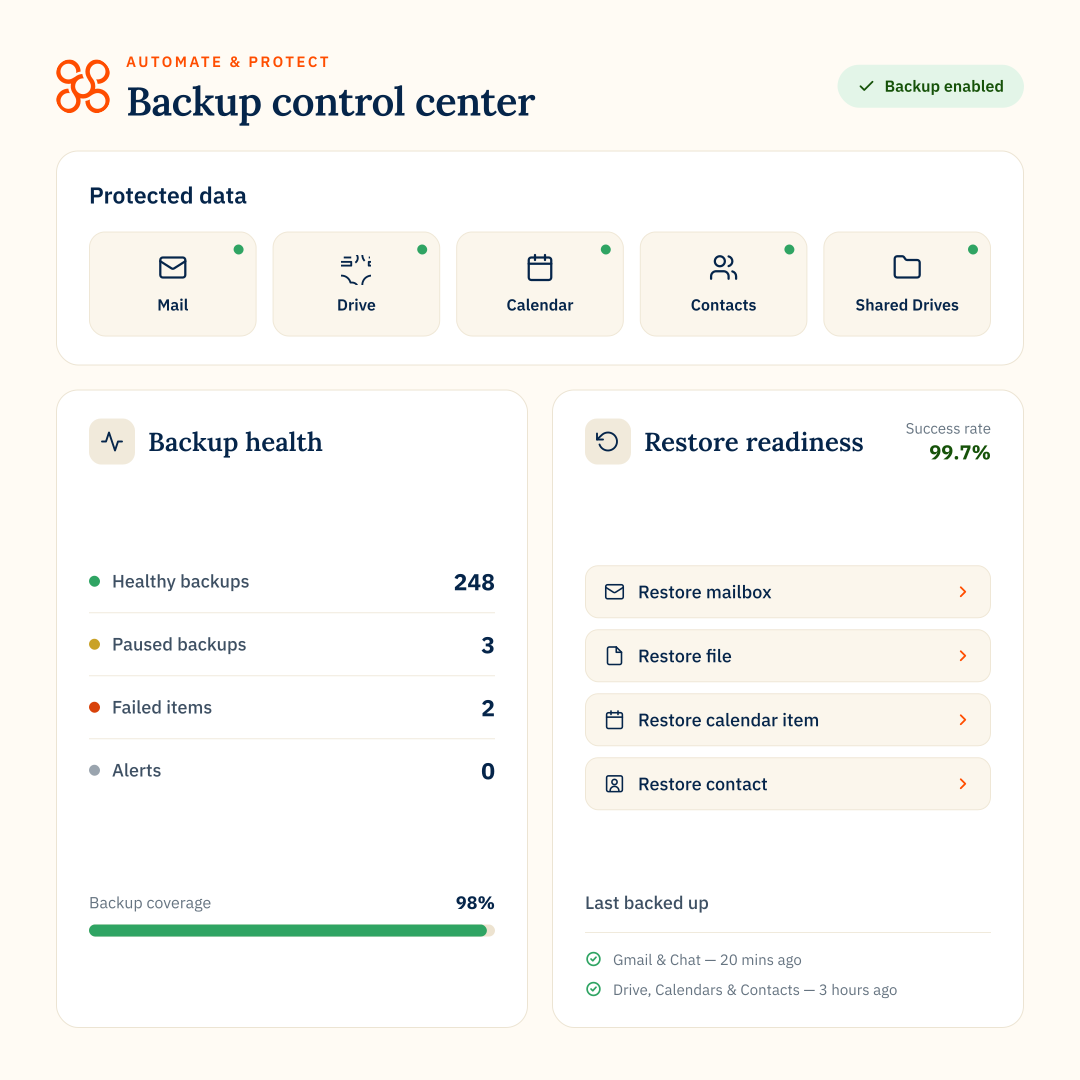
CloudM Automate protects active Workspace data with built-in backup and recovery capabilities: 

  • Point-in-time restores for Gmail, Drive, Shared Drives, and Calendar, allowing admins to roll back individual items or entire accounts after incidents like ransomware or accidental deletion
  • Item-level recovery without overwriting current data, so emails, files, or folders can be restored to their original location without disrupting active work
  • Domain-wide backup and retention across Google Workspace, ensuring Gmail, Chat, Drive, Shared Drives, Contacts, and Calendar are protected consistently and governed centrally

Email signatures

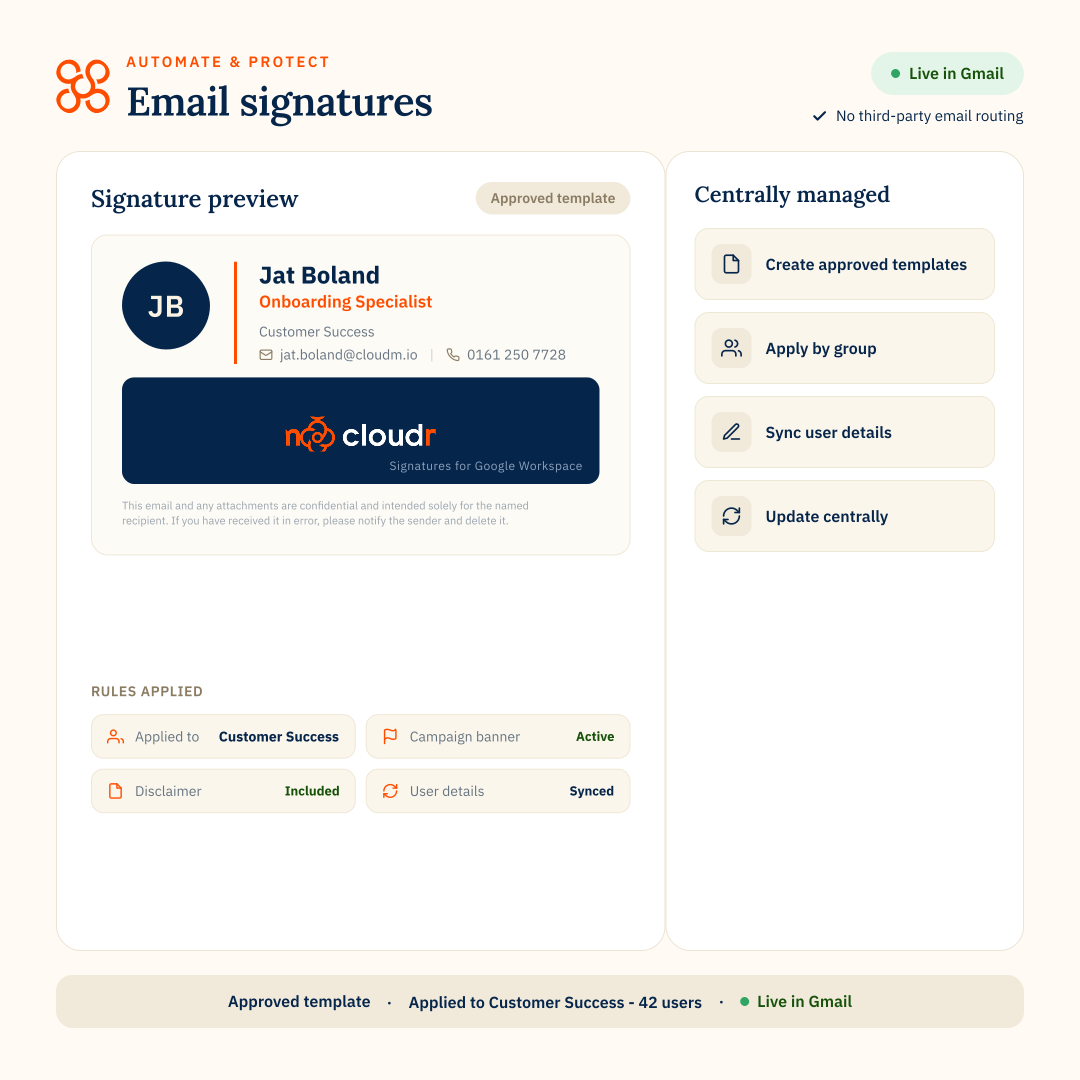
CloudM Automate standardizes and governs email signatures across Google Workspace for controlled outbound communication:

  • Centralized signature enforcement across Gmail, ensuring every user has the correct branding, contact details, and disclaimers applied automatically
  • Cross-device consistency, so signatures render correctly on desktop, web, and mobile without relying on user-side configuration
  • Directory-driven updates, pulling user details from Google Workspace to keep titles, departments, and contact information accurate without manual edits

Archiving

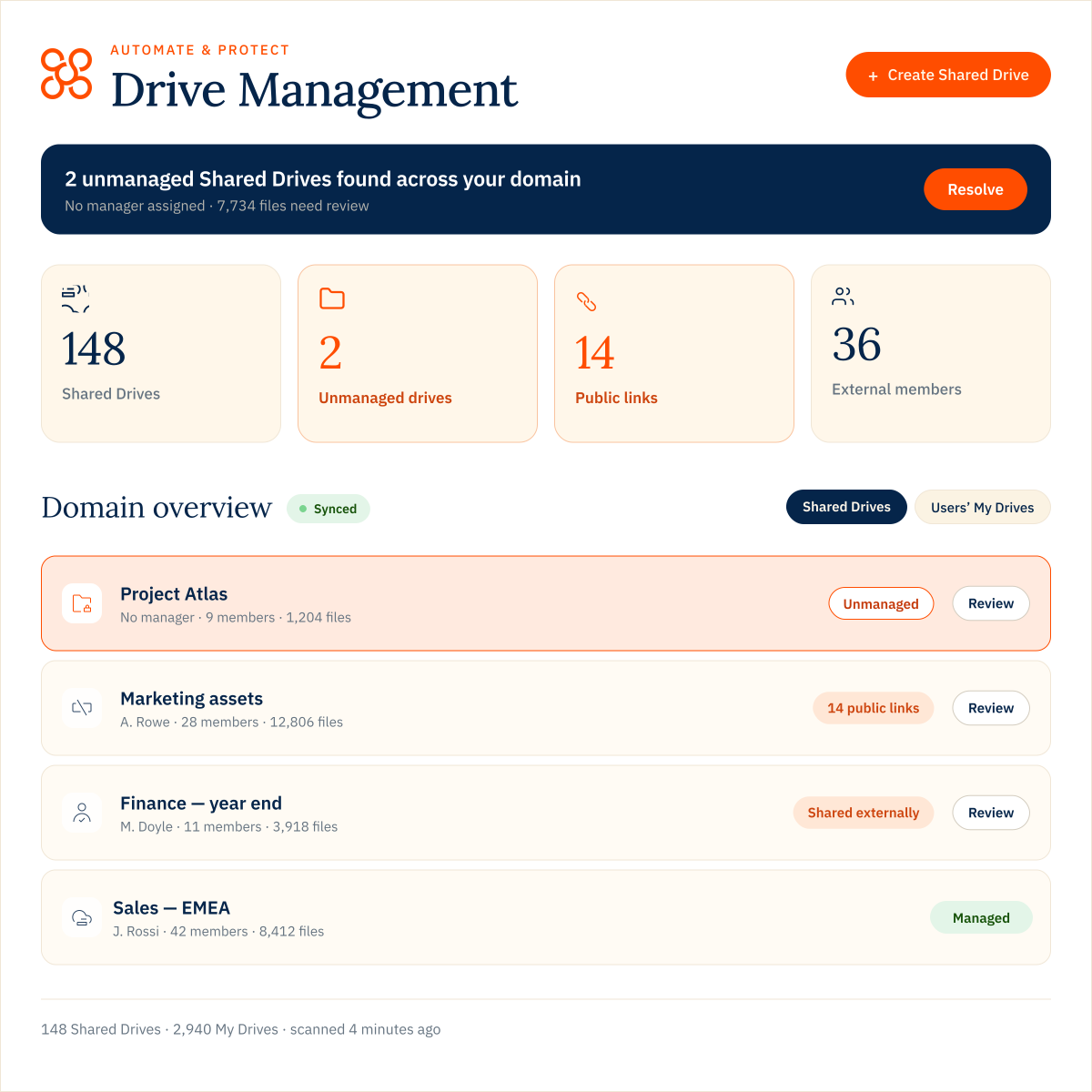
Governing inactive users and data.

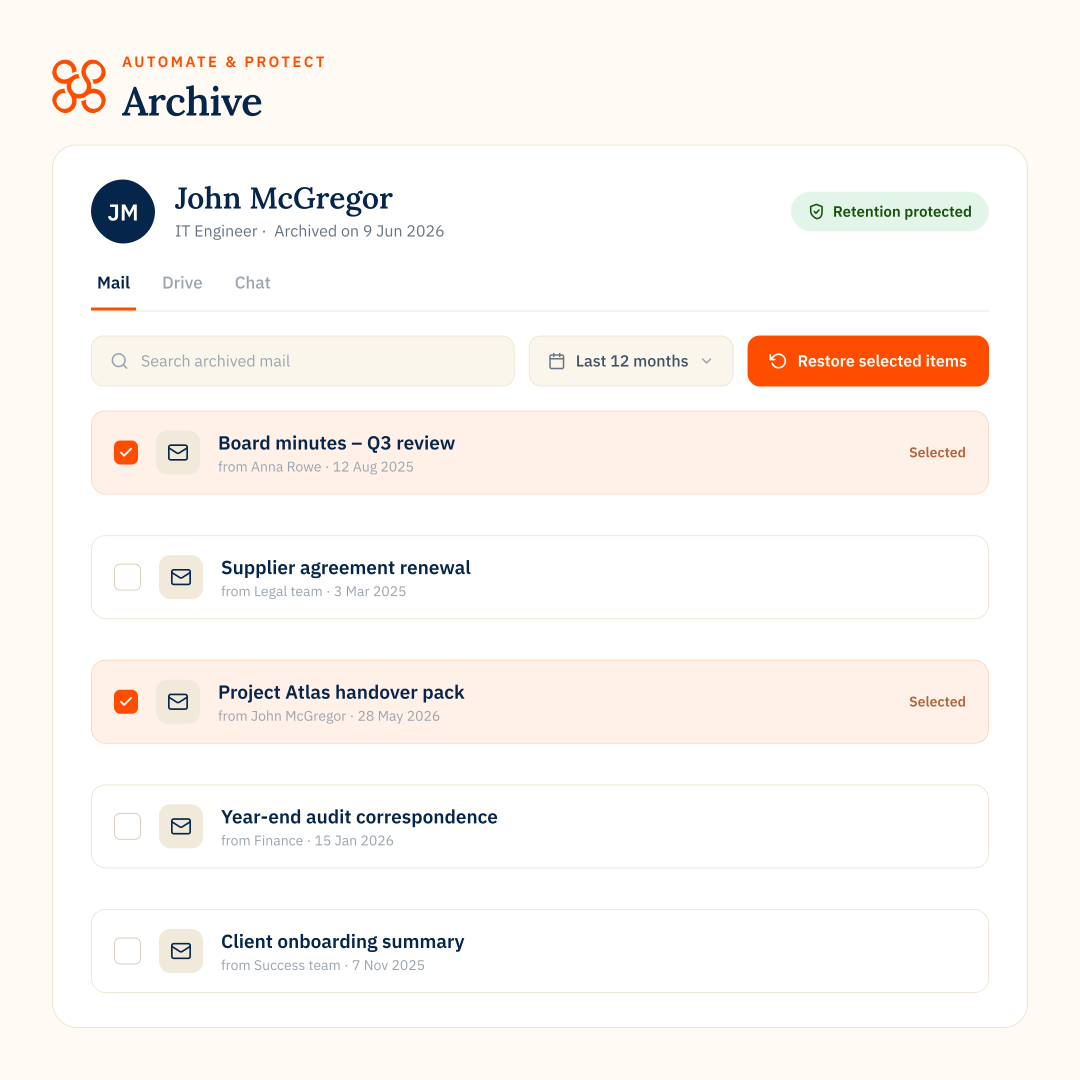
CloudM Automate governs what happens to workspace data when users leave, ensuring compliance without unnecessary license costs:

  • Policy-driven, defensible retention across Gmail, Drive, Shared Drives, Contacts, and Calendar
  • Rapid search and retrieval of former user data, allowing admins to respond confidently to legal, HR, and internal requests without manual exports
  • Reduced active storage and license spend by moving dormant data out of the primary domain while maintaining controlled access
  • A badge reading

    We’re utilising Automate for all of our employee offboarding across the Google Workspace, meaning that we now have a graceful and consistent methodology for all business leavers.

    Jake Hooker, Product Manager, Majestic Wine Warehouse LTD

  • A badge reading

    Backup combines everything that CloudM does brilliantly – migration and automation – into a product that will help a lot of organizations easily combat the consequences of data loss.

    Paul Young, Head of Collaboration & Communications Digital Solutions, Holcim

  • A badge reading

    I’m not in the platform all that often, but that’s by virtue of it working really well. I don’t need to be in there all the time. It’s one less thing to worry about on the long list of go-to-market tasks and deliverables.

    Tom Higgins, Senior Growth Product Marketing Manager, Voxpopme

  • A badge reading

    We have saved millions of dollars by using CloudM to move archive users to a secure storage archive.

    Paul Young, Head of Collaboration & Communications Digital Solutions, Holcim


CloudM replaces scripts, spreadsheets, and fragmented admin tools

CloudM replaces brittle scripts and manual workflows with a single, supported governance layer. It provides a unified control plane to automate and scale your entire Google Workspace lifecycle.

This is how CloudM eliminates the operational debt that accumulates over time.

Comparison chart with 'cloudM Replaces' on the left and 'With' on the right. Left lists custom scripts, manual workflows, spreadsheets, and disconnected tools. Right lists a lifecycle engine, control plane, and unified data source. Cartoon cloud character below, adding a playful tone.

Take control of Google Workspace governance

If your Workspace environment relies on scripts, spreadsheets, and manual processes, the risk is already there; it’s just hidden. CloudM gives Workspace admins a single platform to govern users, data, and licenses at scale.

Latest resources

Product updates

Introducing CloudM Continuity: Always-On Business Continuity for Microsoft 365

March 3, 2026

Find out more
Insights

Cloud migration: Preventing the most common data migration problems

February 26, 2026

Find out more
Product updates

Google Drive Permission Changes: What CloudM Migrate Customers Need to Know

February 18, 2026

Find out more