August 2025 Product Release: CloudM Backup and Automate Updates
- Author: Lana Ginns
- Category: News & updates
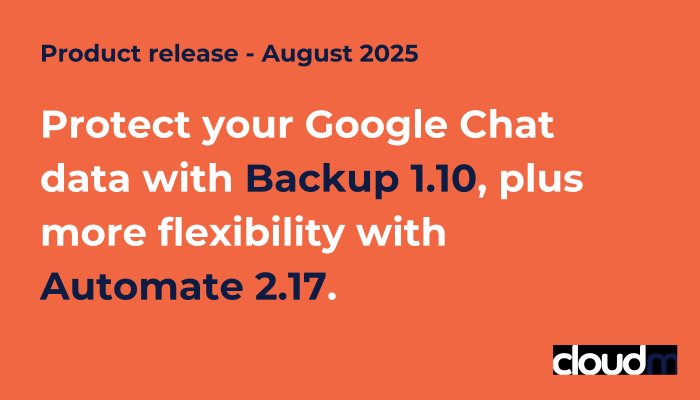
August sees two feature-packed releases for CloudM’s SaaS modules for Google Workspace: Backup 1.10 now also protects your Google Chat data from the consequences of data loss, while Automate 2.17 delivers some important improvements to the notifications you receive as well as its Email Signatures component. Read on to find out more about each release!
CloudM Backup 1.10: Secure and restore your Google Chat data
Chat tools have rapidly become a key communication channel in organizations worldwide, enabling rapid collaboration and synchronization across often geographically dispersed teams. The loss of this data – through accidental deletion or malicious activity – can have severe negative consequences, disrupting users, workflows and crucial business activities.
Following its latest release, CloudM Backup now supports the backup and restoration of Google Chat data, keeping your vital direct messages and group direct messages safe from the consequences of data loss. This is for 1-1 direct messages, which include messages with multiple members, as well as reactions, links and attachments.
Following its latest release, CloudM Backup now supports the backup and restoration of Google Chat data, keeping your vital direct messages and group direct messages safe from the consequences of data loss. This includes 1-1 messages as well as group private messages, plus reactions and attachments.
Comprehensive protection for your most important GWS applications
CloudM Backup for Google Workspace already protects your users’ Google Mail, Calendar, Contacts, Drive and Shared Drives data from data loss due to cyberattacks, malicious users, accidental deletion and more. The most recent release ensures that your Chat data is now also safe from the consequences of data loss and can be recovered quickly to ensure business can continue.
CloudM Automate 2.17: Multiple email signatures for the same person, improved sync times and more
Enable users to have multiple email signatures and apply them dynamically
You’ve asked, we’ve delivered. One of the most frequently requested features in Email Signatures has been to allow one person to have multiple signatures depending on their role or group. With the Automate 2.17 release, this is now quick and easy. And once set up, the secondary “alias” signature will be applied dynamically depending on which email address your user is sending from.
Near real-time email signature sync
We’ve significantly sped up sync times between CloudM and your Google Domain so that any changes will now show within minutes.
Get better, more flexible domain notifications
Navigating to the Domain Settings page in CloudM Automate, you’ll notice some significant improvements to email notifications. Notifications opt in has been streamlined, plus it is now much easier to choose what type of notifications you’d like to receive. We’ll continue to improve notification settings and content, so watch out for further updates in the future.
More options to transfer a calendar
Dealing with the transferring of calendars from one user to another can be cumbersome, especially when dealing with any manual intervention as a result. Now we’re offering different modes to transfer a calendar, giving you more flexibility in how calendars, invites and events are migrated to a new user.
Read the full release notes
Find the full release notes including bug fixes and system improvements for this and previous releases here.