Protect your Google Workspace data with reliable Backup and Recovery
Minimise data loss and ensure business continuity with our secure Google Workspace backup solution. Reduce costs and avoid vendor lock-in by hosting backups in your own infrastructure.
Request a call
Your Black Friday Deal Awaits.
Black Friday Deal: Save Up to 40% on CloudM Software
This Black Friday get the biggest savings of the year on the software your IT team needs, including massive deals on CloudM Migrate and our Google Workspace tools.
Lock in a budget win for your 2026 IT roadmap!
Prevent Data Loss in Google Workspace
Backup and restore your critical user data with CloudM Backup, a powerful data backup and recovery solution for Google Workspace. Keep your emails, drives, calendars, contacts, Chat data and individual files safe from the consequences of data loss – be it due to accidental deletion or malicious users.
Improve your organization's data resilience
CloudM Backup backs up your data in flexible intervals of up to 20 minutes and only syncs new and updated files, making it faster, more reliable and less resource-intensive than other solutions.
Ensure business continuity in the event of data loss
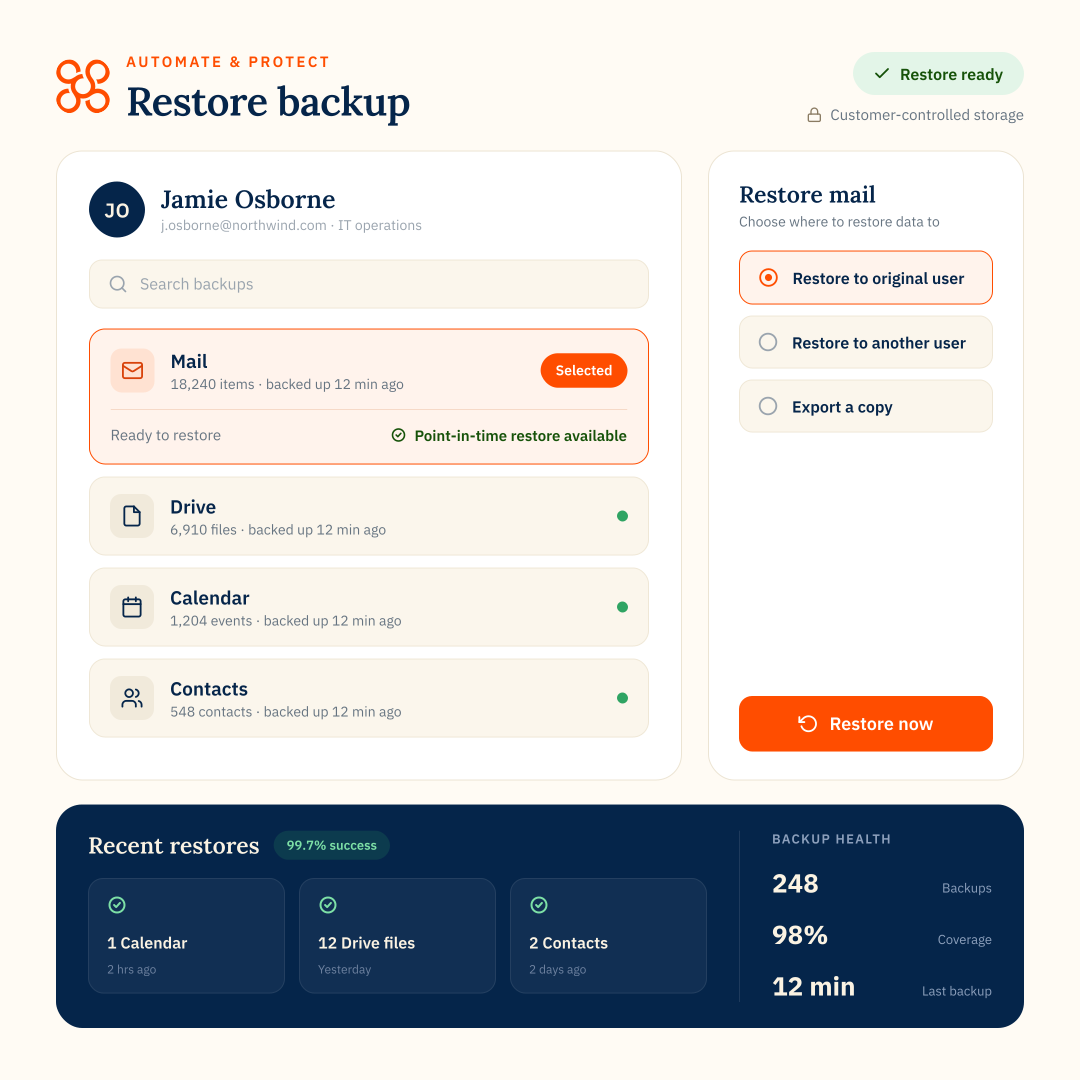
En masse or granular restoration options enable you to restore any version of your data from any point in time, ensuring your organization is up and running again as quickly as possible.
Actionable insights at your fingertips
CloudM Backup’s intuitive dashboard offers an at-a-glance view of the health of your system. Understand the status of your backups and export comprehensive reports to share with your stakeholders.
Identify gaps in your Data Protection
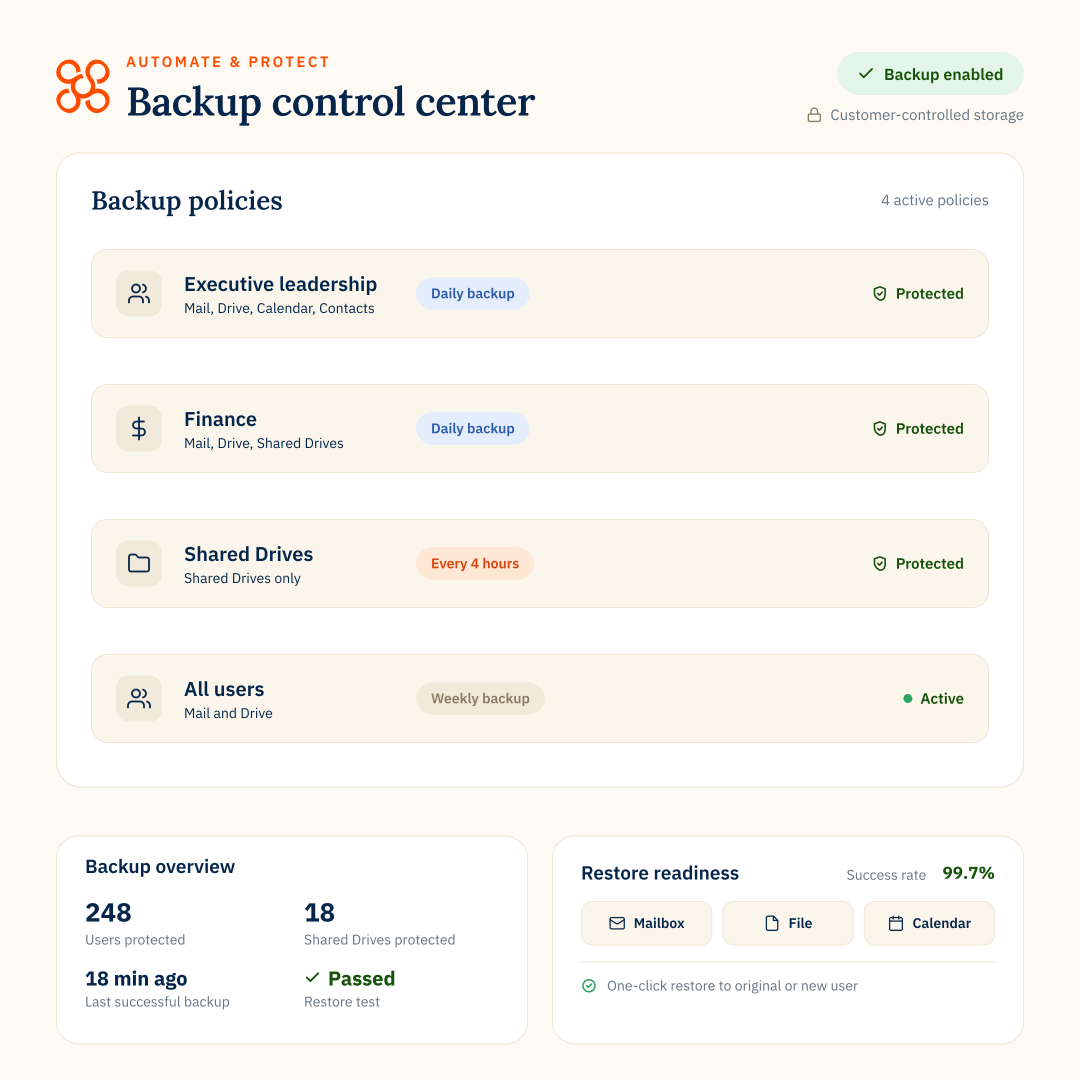
Gain full visibility of the state of your backups and associated policies. Identify unprotected users and swiftly amend your backup policies to ensure all vital business data is secured.
Remain compliant with CloudM's Audit Trails
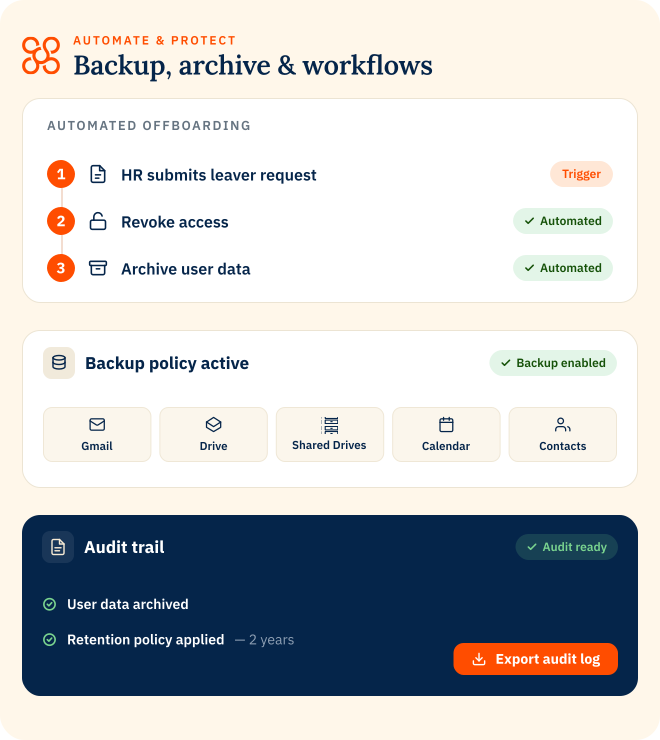
Auditability and reporting are key requirements for many data protection and recovery regulations such as NIS2. CloudM Backup ensures you remain compliant thanks to a comprehensive audit trail.
Restore the data you need, when you need it
Whether it’s an accidentally deleted file or a full scale restoration of entire users, with CloudM Backup you can choose exactly what data is restored.
Easily perform a full Data Restoration
Bulk restore entire users, teams or drives at speed and recover the most recent version of your data following corruption.
Quickly execute granular File or Folder Restoration
It can happen to anybody - one absent-minded click and important data is gone. CloudM Backup offers granular file or folder restoration so you can find and restore specific items.
“Backup combines everything that CloudM does brilliantly – migration and automation – into a product that will help a lot of organizations easily combat the consequences of data loss.”
5 simple steps to get started with CloudM Backup
Protecting your Google Workspace user data with CloudM Backup is easy and can be done in 5 simple steps.
Create flexible Backup policies
Access CloudM Backup to set up your data backup policies and workflows. Create bespoke policies for different teams and ensure they are automatically applied when somebody joins your organization or changes roles.
Configure Backup intervals
Ensure critical items such as your emails are backed up more frequently than items that may not be updated as often, such as calendars. Reduce cost while ensuring that your most important data is always up-to-date.
Data Storage options that fit your business
Take complete control of your data by hosting your Google Workspace backups in your own infrastructure, reducing costs and avoiding vendor lock-in. With CloudM Backup, you can choose to store your data in your organization’s GCP or AWS storage buckets.
Our cyber security certifications
We take a defense-in-depth approach to protecting our systems and your data. Find out more about our security certifications, measures and initiatives.
Book a call with our backup specialists today
Frequently asked questions about CloudM’s data backup solutions
Why should I backup Google Workspace?
To prevent data loss in the case of malware, cyber attacks and accidental data deletions. While Google protects data from downtime, hardware failures or disasters that may affect the physical infrastructure, it does not take full or incremental snapshots aka backups at regular intervals or enables mass restoration. You can read more about this here.
Can I use Google Vault to backup my data?
No. Google Vault is not a backup tool. It only stores the latest versions of your data and is not designed for recovery. Find out more here.
Does CloudM backup Shared Drives and how they're licensed?
Yes, we can backup your Shared Drives as well as your individual users’ data. Please get in touch for a personalized quote.
What restoration options do you offer?
We offer granular file and folder restoration as well as bulk restorations of entire users or Drives.
What are the benefits of hosting backups in my own infrastructure?
By storing your data in your cloud storage of choice (GCP or AWS), you can reduce costs and avoid vendor lock in.
How frequently do you backup my data?
After the initial backup we will only backup data that is new or has been changed. With CloudM Backup you can choose from different backup frequencies so that data that changes often – such as email – is backed up more frequently than Contacts or Calendars.
Is CloudM Backup secure?
Yes, we use encryption and follow strict data protection protocols to keep your information secure. We are ISO 27001 as well as Cyber Essentials certified and comply with regulations such as HIPAA while using secure coding practices. Find out more about our security accreditations here.
What calendar data can I back up?
With CloudM Backup, you can backup the following Calendar data:
- Events and meetings: We back up and restore meeting which include meeting links, including Zoom links. We do not back up events without meeting links.
What types of contacts and data fields will be backed up?
Backup for Contacts covers primary contacts. To find out which data fields will be backed up, please visit our knowledge base.