
Microsoft 365 went down. Will your business stop next time?
- Date:
- Author: CloudM
- Category: Business continuity
On Thursday 12 November, Microsoft 365 suffered a suite-wide service degradation lasting 20+ hours. For organisations around the world, that meant:
- Email that didn’t arrive in Outlook
- Teams meetings and chats that wouldn’t start
- Files in OneDrive and SharePoint that wouldn’t open
For many teams the working day stopped, and IT could do little more than refresh Microsoft’s status page.
Outages happen to every cloud platform, and Microsoft will publish its review and move on. The more useful question is what your organisation does next time, because there will be a next time.
Xurrent counted 16 major Microsoft 365 incidents in 2025, adding up to 94 hours of downtime, and the January 2026 outage took Outlook, Teams and SharePoint offline for more than nine hours.
One fault at Microsoft can stop email, meetings, files and wider sign-ins at the same time
Most organisations didn’t set out to depend on a single provider. It happened one sensible decision at a time:
- Email moved to Exchange Online
- Files moved to OneDrive and SharePoint
- Meetings and chat moved to Teams
- Sign-in moved to Entra ID
- AI assistants such as Copilot now sit on top of all of it
Together, those decisions mean one fault inside one vendor can take out communication, collaboration and access at once.
Regulators call this concentration risk. In financial services, the EU’s Digital Operational Resilience Act (DORA) expects firms to manage their dependency on critical ICT providers and to keep critical functions running when a provider fails.
Outside regulated sectors, the pressure comes from customers, who expect a reply whether or not Microsoft is having a bad day.
Waiting, backups and a second tenant don’t keep people working during an outage
There are five common responses to a Microsoft 365 outage, and only one of them keeps people working in systems the company controls:
| Approach | What it protects | Can people keep working? | What to watch |
|---|---|---|---|
| Wait it out | Nothing | No | Fine for a short blip. For a day-long outage it means lost sales and missed deadlines, with no control over when it ends. |
| Backup | Data, after it’s lost or deleted | No | Data has to be restored somewhere before anyone can use it, and during a live outage there’s nowhere to restore it to. |
| A second Microsoft tenant | A separate copy inside Microsoft | Rarely | Shares much of the same infrastructure, identity services and change processes, so a platform-wide fault can hit both. |
| Personal accounts and apps | Nothing the company controls | Yes, unofficially with security exposure. | Company data moves into accounts IT can’t see or recover (see below). |
| Hot standby on Google Workspace | Recent email, calendar and contacts | Yes | Needs setting up and testing before the outage, not during it. |
Backup still matters, because it protects against deletion and ransomware. But it’s built for recovery after data is lost, not for working through an outage, so it sits alongside a standby rather than replacing it. Our post on what happens when Microsoft 365 goes dark explains why a standby, rather than a restore, keeps people working.
Personal workarounds move company data into accounts IT can’t see, and it stays there
When Outlook and Teams stop, people don’t stop working. They forward emails to personal Gmail or Outlook.com accounts, send files over WhatsApp, and download documents to personal cloud storage so they can carry on.
That habit already exists on a normal day. LayerX’s 2025 enterprise data security report found that 87% of enterprise instant messaging happens through unmanaged personal accounts, and that 62% of users paste personal or payment data into them. An outage pushes a whole workforce that way at the same moment.
The problem doesn’t end when Microsoft comes back:
- Files stay where they were copied. Nobody goes back to delete the contract they saved to a personal drive, so it sits outside your access controls indefinitely.
- Leavers take it with them. Data in a personal account is out of reach of your offboarding process, so it leaves when the employee does.
- Nothing reaches your records. Customer conversations held on personal email or WhatsApp aren’t captured by your retention policies, eDiscovery or audit logs.
- Regulated firms can be fined for it. US regulators have been known to fine financial firms for business conversations held on unapproved messaging apps.
A standby gives people somewhere sanctioned to go instead. Work done during the outage happens in a company-owned Google Workspace account under your own admin controls, and mail is synced back to Microsoft 365 afterwards.
Keeping a second platform ready means people switch, rather than stop
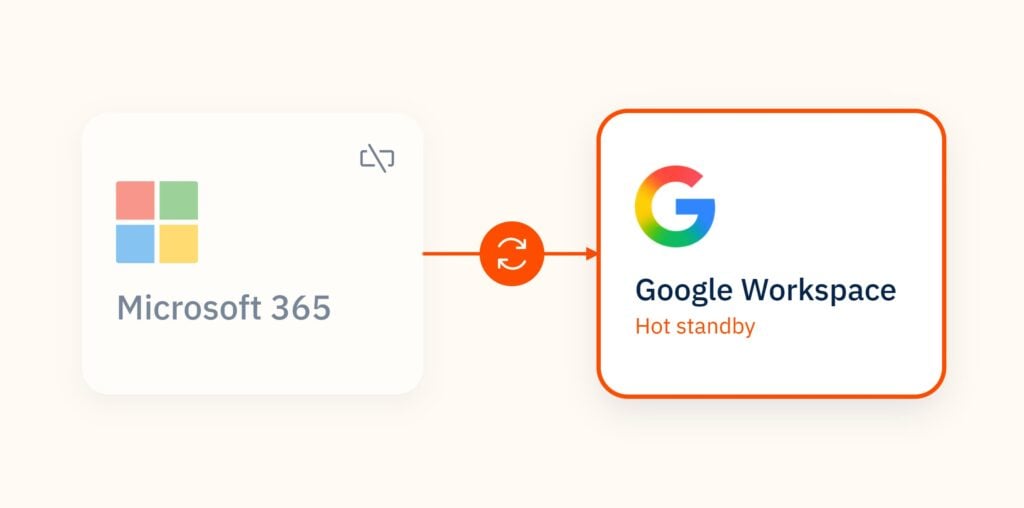
The approach that deals with concentration risk directly is a hot standby: a second, independent productivity environment kept ready to use.
If Microsoft 365 goes down, people sign in to the standby and carry on, with their recent email and calendar already there. When Microsoft 365 comes back, they switch back.
Google Workspace suits this role because it runs on entirely separate infrastructure from Microsoft. Google also offers a lower-cost Business Continuity Plus licence designed for standby use rather than everyday work.
We cover why Google Workspace works as a standby in 5 reasons your M365 customers need a hot standby on Google Workspace.
When Microsoft 365 is down for everyone, the business that keeps working wins the customer
A Microsoft outage doesn’t only hit you. It hits your competitors, suppliers and prospects on Microsoft 365 at the same time, so for a few hours much of your market goes quiet at once.
That’s when a working inbox stands out. During an outage, a business with a standby can still:
- Reply to the prospect who emailed three suppliers, while the other two can’t
- Get a proposal or tender in before its deadline
- Keep support cases moving and meet the SLAs in customer contracts
- Tell customers what’s happening, rather than leaving them to guess
It helps before anything goes wrong, too. Buyers in financial services and other regulated sectors increasingly ask suppliers how they’d keep operating if a critical provider failed. A tested standby is a specific answer to that question, where most suppliers can only point to Microsoft’s SLA.
Continuity is usually sold as insurance, but customers remember who answered when nobody else could.
For Microsoft and Google partners, offering a standby is a way to give customers that advantage. Our post on the partner opportunity in business continuity covers this in more detail.
CloudM Business Continuity keeps a Google Workspace standby ready before you need it
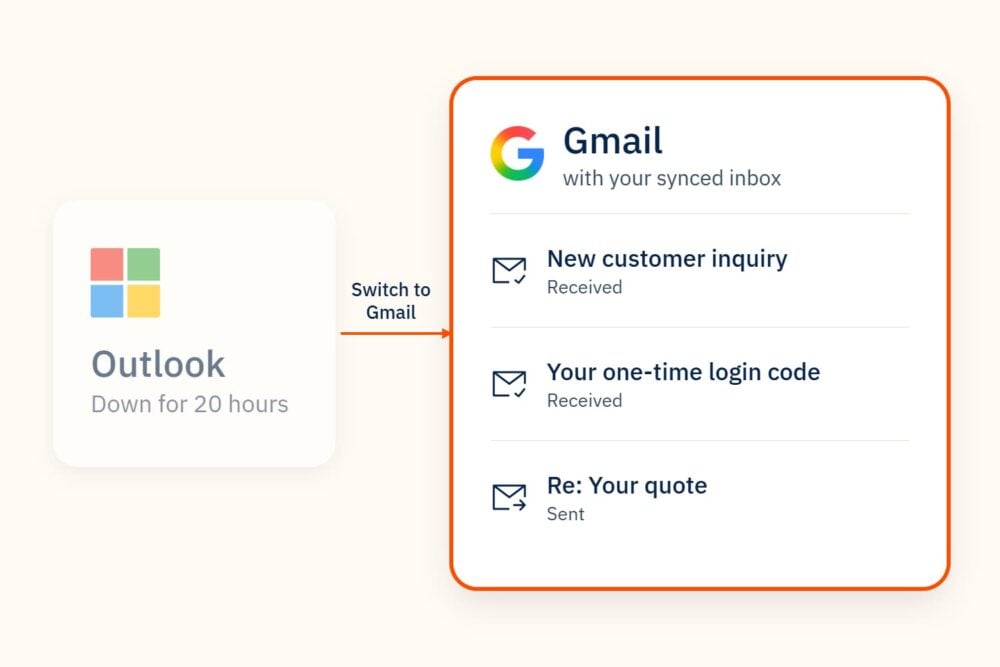
CloudM Business Continuity keeps a copy of your recent Microsoft 365 data in Google Workspace, so the standby is ready before an outage starts.
- Sync on your schedule. Choose weekly, daily or hourly sync depending on how current each team’s data needs to be. Leadership and customer-facing teams might sync hourly, while lower-risk teams sync weekly.
- Email as standard, more as you need it. Email is replicated as standard, with contacts, calendar and files available as add-ons.
- Accounts ready in advance. CloudM can create Google Workspace accounts automatically for matched Microsoft 365 users, so there’s nothing to set up in the middle of an incident.
- Switch over when Microsoft goes down. Users sign in to Google Workspace and keep working from the synced data.
- Receive new Outlook emails in Gmail during the outage. Your IT Admin changes your MX records during a Microsoft 365 outage to route new incoming emails to Google Workspace.
- Switch back when it’s over. Mail sent and received in Google Workspace during the outage is synced back to Microsoft 365, so nothing is lost.
It isn’t a backup product, and it doesn’t replace one. Business Continuity keeps people working during an outage, while backup handles recovery after data is deleted or encrypted.
Five things to do before the next outage
- List your critical people and functions. Who must be reachable when Microsoft 365 is down? Usually leadership, customer service, sales, finance and IT.
- Decide how fresh their data needs to be. This sets the sync frequency for each group and the cost of the standby.
- Set up the standby before you need it. Accounts, licences and the first sync should all be in place well before an incident.
- Write the switch-over runbook. Who declares an outage, how staff are told (when email is the thing that’s down), and how and when you switch back. Our help centre guide to responding to a Microsoft 365 outage covers the steps.
- Test it. Run a switch-over drill with one team so the first real one isn’t the first time anyone has tried.
Watch the webinar, or talk to us about a standby
We covered this in detail in our webinar, When 365 Goes Down: How to keep your customers running with CloudM, with a guest speaker from Google. It’s available to watch on demand now.
CloudM Business Continuity is available through our certified partner network. To talk about protecting your organisation, or about offering Business Continuity to your own customers as a partner, book a demo.
5 reasons your M365 customers need a hot standby on Google Workspace
- Category: Business continuity
- Date:
Business continuity: When Microsoft 365 goes dark, your business doesn’t have to
- Category: Business continuity
- Date:

Business continuity: The Recurring Revenue Opportunity Inside Every Microsoft 365 Account
- Category: Business continuity
- Date: