

Microsoft 365 was down for 20 hours. Your inbox didn’t have to be.
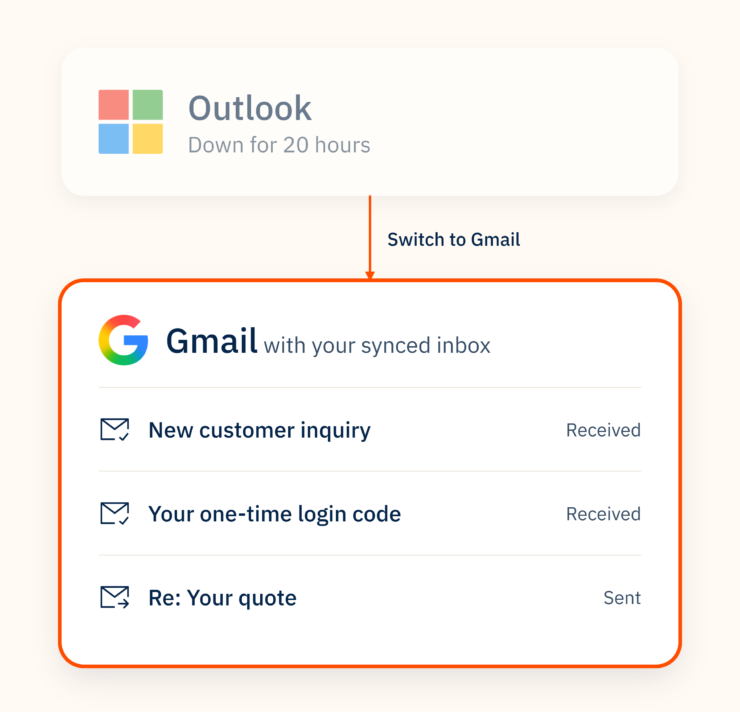
When Outlook went down, your teams could have switched to Gmail, accessed their synced inboxes and continued sending and receiving emails.
DORA
2-hour restoration
HIPAA
Healthcare data continuity
NIS2
Cybersecurity
resilience
SEC
Helps meet Reg S-P
microsoft 365 outages
The disruptions are real
Ongoing Microsoft 365 outages are disrupting critical business operations, leaving employees locked out of essential systems and businesses struggling to serve customers. The next outage could happen at any time.
12–13 NOV 2026
20 hours
Outlook and Exchange Online disruption affected mailbox access and email delivery worldwide.
13 OCT 2026
11 hours
Connectivity issues disrupted access to Outlook, Teams and other Microsoft 365 services for some users.
16 SEPT 2026
5 hours
Sign-in failures prevented some US and UK users from accessing Microsoft 365 services.
31 AUG – 3 SEPT 2026
67 hours
Exchange Online experienced prolonged intermittent disruption, affecting Outlook access and email delivery.
how BUSINESS CONTINUITY works
When Microsoft 365 stops, your email doesn’t have to
No Outlook access, disrupted meetings and verification codes trapped in email. Here’s how Business Continuity keeps your teams working next time Microsoft 365 goes down.
Your standby inbox is ready
Keep a copy of your Outlook email and calendars in Google Workspace, refreshed as frequently as hourly.
Open Gmail and keep working
When Outlook is unavailable, teams sign in to Gmail to access synced email, send messages and receive new mail when routing is configured.
Bring emails back to Outlook
When Microsoft 365 is restored, your admin runs Recovery Sync to return emails sent and received in Gmail during the outage to Outlook.
take a tour
See how your teams keep working
Take an interactive tour of CloudM Business Continuity, from keeping Outlook email synced with Gmail to switching during an outage and recovering afterwards.
CloudM is trusted by world-leading organizations








use cases
What can teams do when Microsoft 365 is down?
receive emails
Will we still receive emails during the outage?
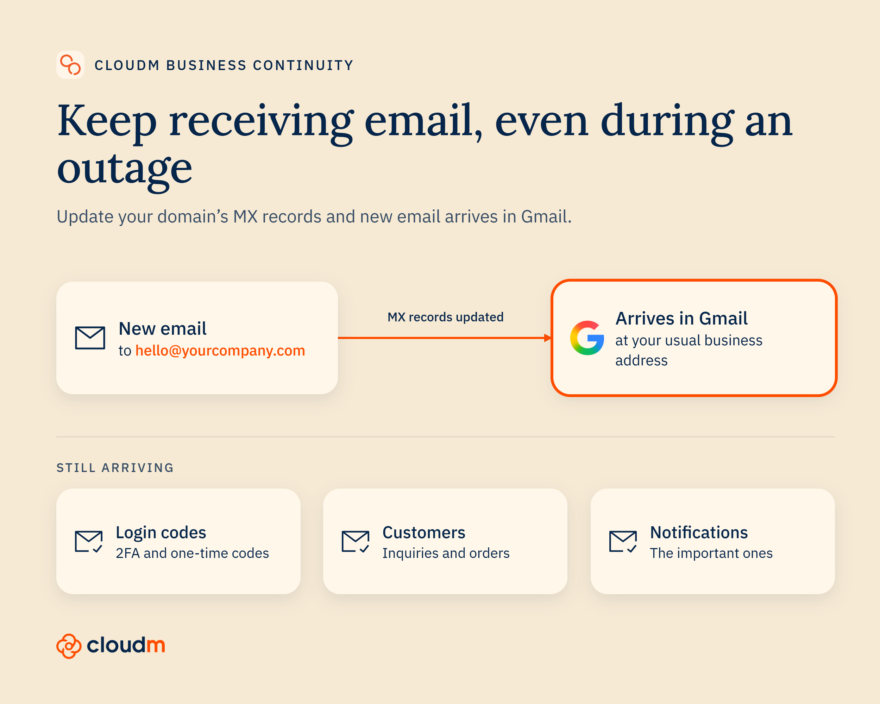
- Yes. Redirect incoming Outlook emails to Gmail by updating your domain’s MX records.
- Receive email-based 2FA and one-time login codes needed to access other applications.
- Continue receiving customer inquiries, orders and important notifications.
- Keep using your existing business email addresses.
SEND EMAILS
Can we email customers from our usual email address?
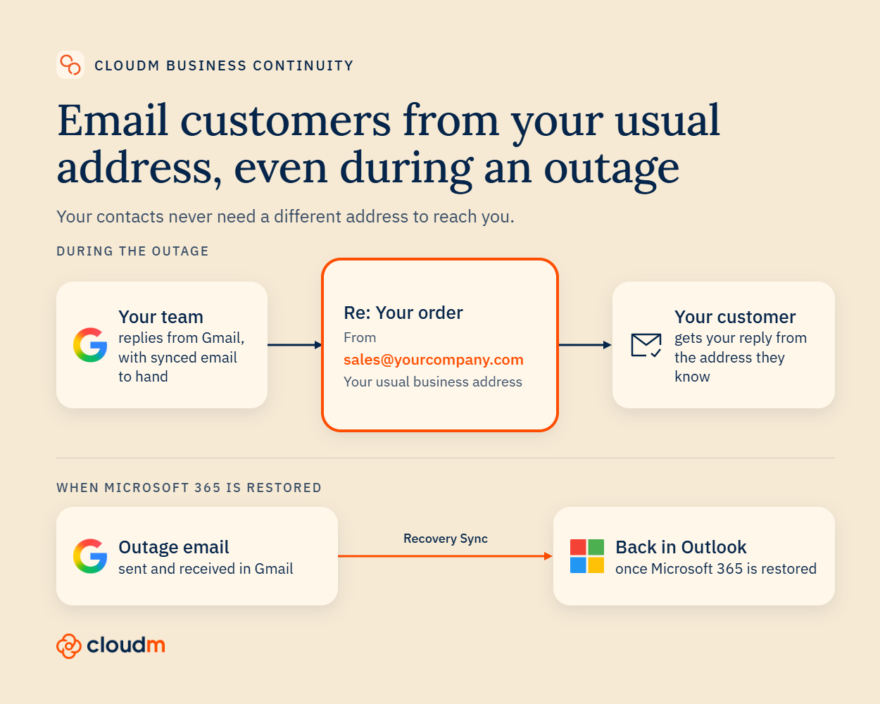
- Yes. Continue sending emails from Gmail using your existing business email address.
- Access synced emails and reply to customers and colleagues as if you were in Outlook.
- Keep customer communications running without asking contacts to use a different email address.
- Recover emails sent during the outage back into Outlook once Microsoft 365 is restored.
keep meetings
Can we still access our calendars?
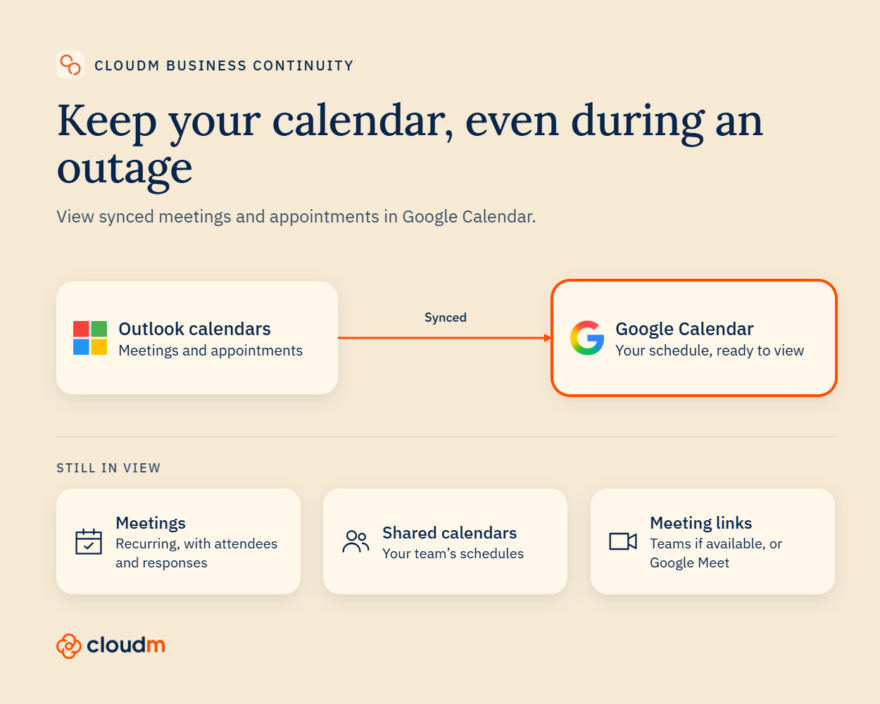
- Yes, View your synced Outlook calendars, upcoming meetings and appointments in Google Calendar.
- Access recurring meetings, attendee details, responses and shared calendars.
- Use existing Microsoft Teams meeting links if Teams is still available.
- If Teams is unavailable, arrange alternative meetings using Google Meet.
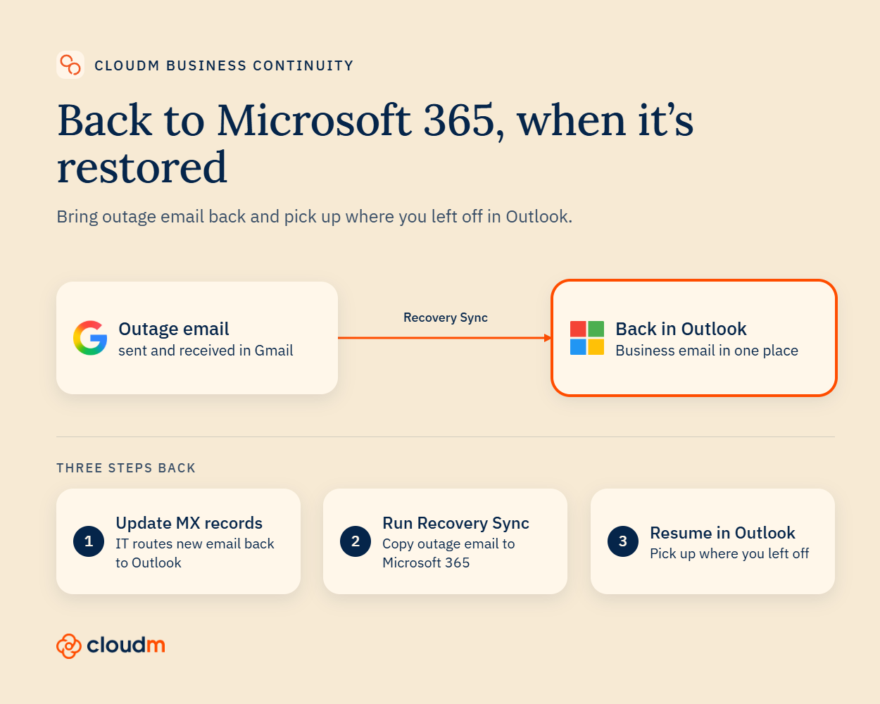
recover emails
What happens when Microsoft 365 is back?
- Once Microsoft 365 is restored, your IT team updates your domain’s MX records to route new incoming emails back to Outlook.
- Run Recovery Sync to copy emails sent and received in Gmail during the outage back to Microsoft 365.
- Resume working in Outlook with your business communications back in one place.
what’s included
Business Continuity pricing
Business Continuity
Ideal for regulated and business-critical organizations
From
$1.00
per user / month (weekly sync)
Choose your coverage

What you sync
Mail, calendar, contacts and documents

How often you sync
Weekly, daily or hourly sync
What’s included?

Built for DORA and NIS2
Hourly sync supports DORA’s 2-hour restoration mandate and NIS2 resilience requirements

Live standby environment
Users switch to Google Workspace immediately during outages

Automatic reverse sync
Changes made during an outage sync back to Microsoft 365
Licensing

Works with Google’s low-cost standby licenses
Google Workspace Business Continuity Plus licenses are purchased separately
BUSINESS CONTINUITY
FAQs
- Prepare for an outage
- During an outage
- Recovery
- Set-up & licensing
Can employees still access Outlook emails when Microsoft 365 is down?
Yes. CloudM Business Continuity maintains a synchronised copy of your Outlook email in Google Workspace.
When Outlook is unavailable, employees can sign in to Gmail to read their synchronised emails, access attachments, and continue responding to customers and colleagues.
Will I receive new Outlook emails in Gmail while Microsoft 365 is down?
Yes, provided your incoming email is configured to route to Google Workspace during an outage.
Your IT team or partner must configure and test this routing through your domain’s DNS/MX settings. CloudM Business Continuity does not change mail routing automatically.
The routing approach and type of Microsoft 365 outage may affect how quickly new messages reach Gmail.
Can employees still receive two-factor authentication (2FA) and one-time login codes?
Yes, if verification codes are delivered by email and your incoming mail is successfully routed to Gmail during the outage.
This can help employees continue accessing other business applications that rely on email verification codes.
However, it does not resolve authentication failures in applications that depend directly on Microsoft Entra ID or Microsoft single sign-on.
Can employees send emails to customers while Outlook is unavailable?
Yes. Employees can use Gmail to compose, send and reply to messages during a Microsoft 365 outage.
Email sent through Gmail can subsequently be copied back into Microsoft 365 using CloudM’s Recovery Sync, so employees have a record of their communications when they return to Outlook.
Can employees still access their Outlook calendars and meetings?
Yes, if calendar synchronisation is included in your licence and enabled in your sync policies.
Employees can view their synchronised Outlook calendars and upcoming events in Google Calendar. This helps them keep track of appointments and meetings while Outlook is unavailable.
However, Teams meeting links are not converted into Google Meet links, and calendar changes made in Google during the outage are not automatically recovered to Microsoft 365.
What happens if Microsoft 365 stops accepting incoming emails?
Your ability to receive new emails in Gmail depends on how your organisation has configured mail routing.
CloudM Business Continuity provides the standby mailbox, while your IT team or partner is responsible for directing incoming mail to Google Workspace.
Because Microsoft 365 outages can affect different services, your organisation should test its mail-routing approach before an incident.
Do I need to set up Business Continuity before a Microsoft 365 outage?
Yes. CloudM Business Continuity keeps a standby copy of your Microsoft 365 email and calendars in Google Workspace, synchronised on a regular schedule.
By preparing in advance, your employees can switch to Gmail when Outlook is unavailable, rather than waiting for Microsoft 365 to recover.
How quickly can employees switch to Gmail during an outage?
Your Google Workspace environment is already prepared, so there’s no backup to restore or failover process to initiate in CloudM Business Continuity.
Employees simply sign in to Gmail to access their synchronised emails. We recommend testing access and preparing employee instructions in advance to minimise disruption.
How often do Outlook emails synchronize with Gmail?
With CloudM Business Continuity you can choose how frequently your Microsoft 365 email is synchronised to Google Workspace:
Hourly: Up to one hour between scheduled syncs.
Daily: Up to 24 hours.
Weekly: Up to seven days.
Your sync frequency determines how up to date your standby inbox will be when an outage occurs.
Do I need to set up Google Workspace accounts for my employees?
Yes. Google’s lower-cost Business Continuity Plus plan is designed to give users access to a ready-to-use standby environment without the cost of full Google Workspace licences.
The Business Continuity Plus plan supports synchronised email, calendar and chat data and can be used for up to 60 days each year.
CloudM can automatically create Google Workspace accounts for matched Microsoft 365 users who don’t already have one.
Do I need to migrate away from Microsoft 365?
No. CloudM Business Continuity is designed for organisations that want to stay on Microsoft 365 while reducing their dependency on its availability.
Microsoft 365 remains your primary environment. Google Workspace acts as a standby, allowing employees to continue using email during an outage and return to Outlook when service is restored.
Can we prioritize business-critical employees?
Yes. CloudM Business Continuity lets you select which departments or employees to protect and how frequently their data is synchronized.
For example, customer support and other business-critical teams can have hourly synchronization, while less time-sensitive departments use daily or weekly schedules.
This helps you balance continuity requirements with licensing costs.
How do we know we’re ready for the next Microsoft 365 outage?
CloudM Business Continuity helps IT teams stay prepared through ongoing monitoring, training and testing.
- Monitor synchronization: Track sync activity, identify errors and check that critical employees have up-to-date standby inboxes.
- Prepare employees: Work with an implementation partner to train teams on accessing Google Workspace during an outage.
- Test your failover plan: Run simulated outages to check employee access, email routing and recovery procedures.
- Maintain readiness: Your implementation partner can provide ongoing management and regular testing to keep your continuity plan up to date.
What happens to emails sent in Gmail during a Microsoft 365 outage?
Emails sent and received in Gmail during the outage remain available in Google Workspace.
Once Microsoft 365 is restored, your IT administrator can use CloudM Recovery Sync to copy those messages back into Outlook, maintaining a record of communications made during the disruption.
Will emails automatically return to Outlook when Microsoft 365 is restored?
No. Once Microsoft 365 is stable, an administrator starts Recovery Sync from the CloudM Business Continuity platform.
CloudM then copies eligible emails sent and received in Gmail during the outage back into Microsoft 365, placing messages into the appropriate folders.
Will I lose any emails when switching between Outlook and Gmail?
CloudM synchronises email to Google Workspace according to your chosen schedule. However, messages received in Outlook after the last successful sync may not be available in Gmail when an outage begins.
Once Microsoft 365 is restored, Recovery Sync copies emails created in Gmail during the outage back into Outlook.
Your IT team can monitor synchronisation status to understand how current the standby inboxes are.
What happens if Recovery Sync fails?
Administrators can monitor recovery progress and review results for individual users.
If a recovery fails or completes with warnings, it can be retried. CloudM prevents duplicate messages from being created in Microsoft 365 when recovery runs again.
Do we need Google Workspace licenses?
Yes. Google’s lower-cost Business Continuity Plus plan is designed to give users access to a ready-to-use standby environment without the cost of full Google Workspace licences.
The Business Continuity Plus plan supports synchronised email, calendar and chat data and can be used for up to 60 days each year.
CloudM can automatically create Google Workspace accounts for matched Microsoft 365 users who don’t already have one.
What Microsoft 365 data does CloudM Business Continuity support?
CloudM Business Continuity currently synchronizes Outlook email and calendars to Google Workspace.
Email synchronization includes messages, attachments, folders and read/unread states. Calendar synchronization includes events and recurring meetings.
What’s coming next? Support for contacts, OneDrive and SharePoint files, and Microsoft Teams chat is on the product roadmap, extending Business Continuity beyond email and calendars.
Where is our Microsoft 365 data stored?
CloudM Business Continuity transfers your Microsoft 365 data directly into your standby Google Workspace environment.
We don’t retain copies of your synchronized emails or calendars. Data is briefly buffered in encrypted form during synchronization and deleted once the transfer is complete.
CloudM Business Continuity stores only the configuration, synchronization metadata and audit logs needed to operate the service.
Can we choose where CloudM Business Continuity is hosted?
Yes. CloudM Business Continuity offers two deployment options:
- CloudM-hosted: A fully managed service hosted in Google Cloud in the United States.
- Private cloud: Deploy CloudM Business Continuity in your own Google Cloud project, with the flexibility to choose your hosting region.
The private cloud option is particularly useful for organizations with specific data residency, security or compliance requirements.
In both options, your synchronized emails and calendars are transferred directly between Microsoft 365 and Google Workspace. CloudM does not retain copies of this content.
Who sets up and manages CloudM Business Continuity?
CloudM works with implementation partners to help organizations prepare their standby Google Workspace environment.
Your partner can assess your existing Microsoft 365 setup, configure the solution, prepare employees for an outage and provide ongoing management.
If you don’t already have an implementation partner, CloudM can recommend one.